Windows XP Windows 7 Windows 2003 Windows Vista Windows 綜合教學 Linux 系統教學
Windows 10 Windows 8 Windows 2008 Windows NT Windows Server 電腦軟體教學
您现在的位置: Windows教程網 >> Windows教程 >  >> Windows 綜合教學 >> 關於 Windows

WinXP 桌面圖示藍色陰影影響美觀?群組原則停用 Active Desktop 徹底移除

編輯:關於 Windows

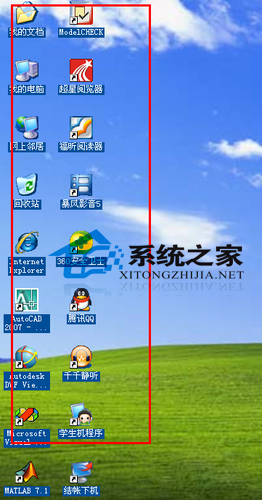
WinXP 桌面圖示文字出現藍色陰影,首檢桌面右鍵「鎖定網頁項目」是否勾選 (取消勾選即可)。若無效,進入 gpedit.msc → 使用者設定 → 系統管理範本 → 桌面 → Active Desktop → 「停用 Active Desktop」設為「已啟用」;「啟用 Active Desktop」設為「已停用」 → 確定 → 重整桌面恢復無陰影正常顯示。附六步驟圖文。
快速檢查

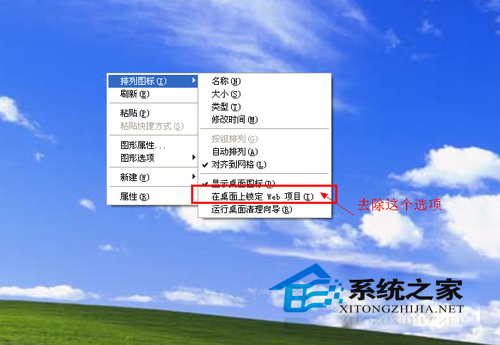
  1. 桌面右鍵 → 若有「鎖定網頁項目」且已勾選 → 取消勾選 → 重整桌面,陰影通常消失。

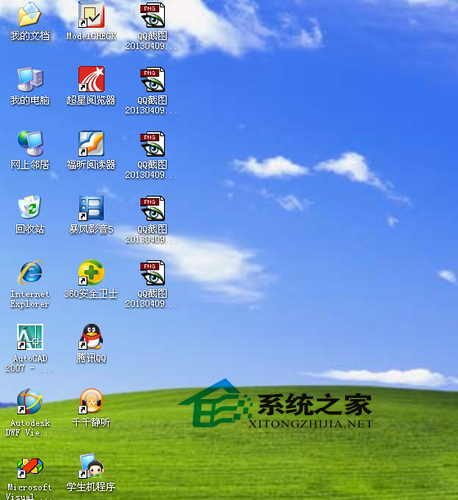
桌面藍色陰影
鎖定網頁項目

群組原則徹底解決

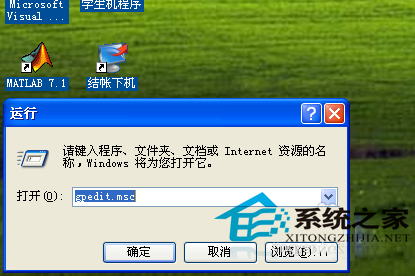
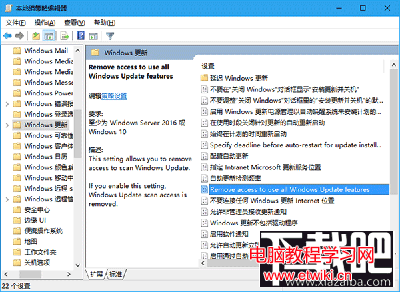
  1. Win+R → gpedit.msc。
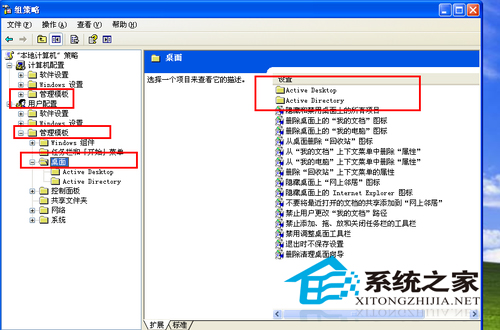
  2. 使用者設定 → 系統管理範本 → 桌面 → Active Desktop。
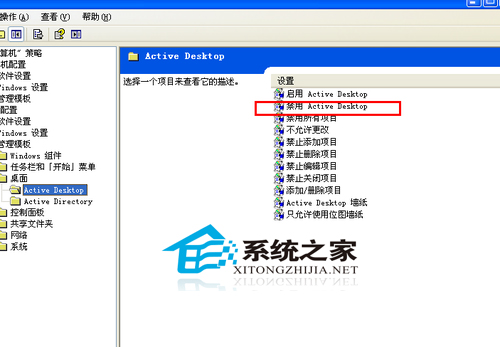
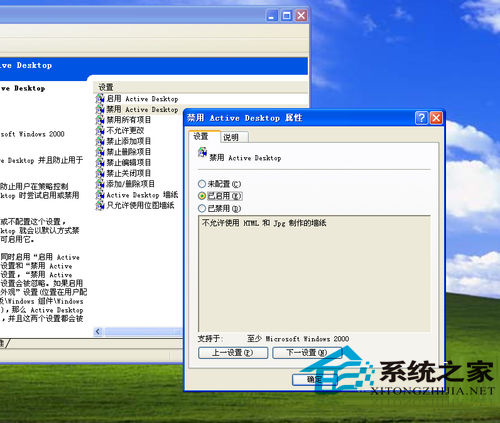
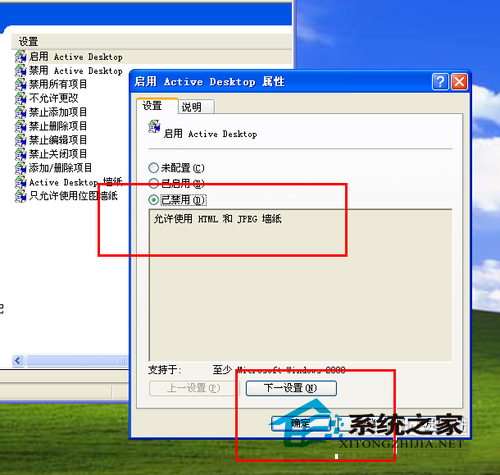
  3. 雙擊「停用 Active Desktop」→ 「已啟用」 → 確定。
  4. 雙擊「啟用 Active Desktop」→ 「已停用」 → 確定。
  5. 關閉群組原則編輯器 → 桌面 F5 重整,陰影消失。

群組原則路徑
Active Desktop 項目
停用已啟用
啟用已停用
確定儲存
桌面恢復正常

原理說明

Active Desktop (啟用桌面網頁內容) 會在圖示文字繪製陰影效果。停用該功能可移除陰影並略微提升桌面繪製效能。

Copyright © Windows教程網 All Rights Reserved