Win8 系統關機後自動開機的解決方法:
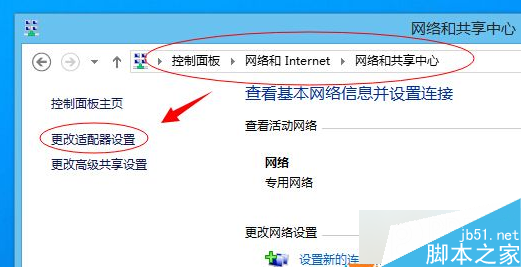
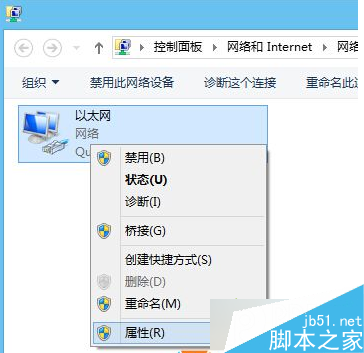
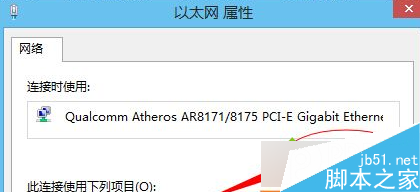
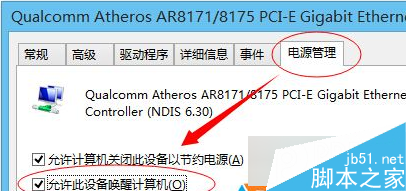
此問題多因網路卡的「喚醒電腦」功能啟用所致,關閉後即可防止誤觸發開機。
升級 Win10 1607 週年更新後想回滾舊版?設定 → 更新與安全性 → 復原 → 「回復到先前版本」10 步驟完整教學
解決「Unable to find a version of the runtime to run this application」錯誤:安裝正確 .NET Framework 版本
Win7 字體模糊怎麼調?進階外觀改預設字型為「新細明體」或匯入 XP 字體
Windows Server 2008 / Vista 顯示卡無法完全硬體加速解決方案:替換系統 DLL 並取得檔案擁有權