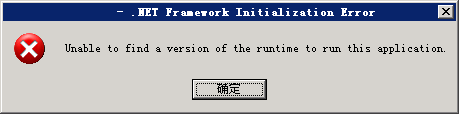
執行 C# 程式時出現 Unable to find a version of the runtime to run this application,代表系統缺少對應版本的 .NET Framework 執行環境。本文整理版本對應關係與下載連結,快速修復。
| .NET 版本 | 最低系統需求 | 相容性說明 |
|---|---|---|
| 1.x | Windows 98/2000 | 極舊版本,現代應用幾乎不使用,可忽略。 |
| 2.0 / 3.0 / 3.5 SP1 | Windows XP SP2 以上 | 共用 2.0 執行核心,**安裝 3.5 SP1 即涵蓋 2.0、3.0、3.5 應用**。 |
| 4.0 | Windows XP SP3 以上 | 獨立執行核心,**不包含 3.5 及舊版**;僅能執行以 4.0 開發的應用。 |
| 4.5 | Windows Vista SP2 / Win7 SP1 以上 | 4.0 的就地升級版,國內 XP 用戶眾多,開發者較少以此為目標,一般可暫不安裝。 |
若不確定應用程式以哪個版本開發,**建議同時安裝 .NET Framework 3.5 SP1 與 4.0**,即可涵蓋絕大多數情況。
注意:雖為完整安裝包,安裝過程仍需連網下載語言包,請保持網路連線。