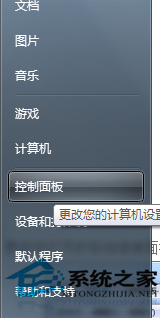
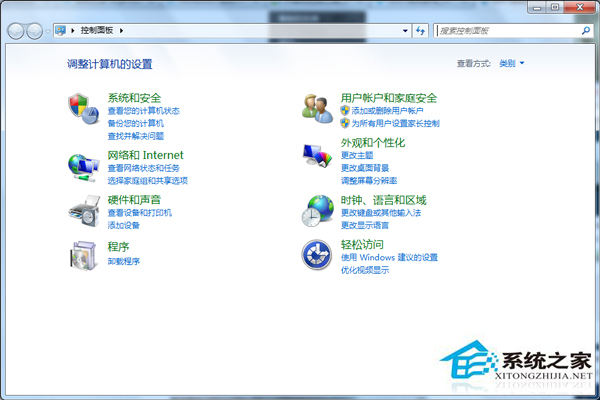
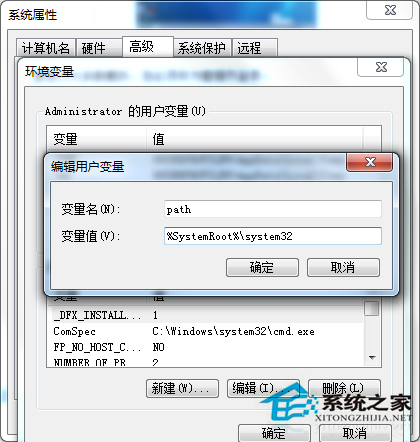
輸入 cmd 提示「無法辨識的內部或外部命令」,主因為系統環境變數 Path 遺失 %SystemRoot%\System32 路徑,導致系統找不到 cmd.exe。
cmd
Path
%SystemRoot%\System32
cmd.exe
;
此問題常由第三方軟體安裝/解除安裝誤刪 Path 變數導致。修復後建議檢查 Path 是否包含其他關鍵路徑 (%SystemRoot%, %SystemRoot%\System32\Wbem 等)。
%SystemRoot%
%SystemRoot%\System32\Wbem
Win7 如何設定螢幕重新整理率?調整監視器頻率減少閃爍
Win7 安全中心服務異常修復:啟動 Security Center 服務恢復防護功能
Win7 快速建立程式桌面捷徑兩大法:安裝目錄右鍵發送、手動新增捷徑精靈
Win7 C 槽空間暴滿怎麼辦?關閉系統還原點釋放空間完整教學
Win7 忘記開機密碼?USB 啟動盤離線重置密碼完整救援指南
Win7 判斷 Svchost.exe 是否為病毒:路徑驗證、命令列 tasklist/wmic 深度排查、屬性詳情核對
Win7 開機啟動項優化全攻略:輕鬆提升電腦開機速度
Win7 跳出「配色方案已更改為 Windows 7 Basic」怎麼辦?兩招徹底關閉提示