Word 文件重新命名存檔後再開啟報「範本損壞停止運作」,99% 是 Normal.dot 範本檔損壞。刪除它,Word 會自動生成新的乾淨範本。
%appdata%\microsoft\templates 打開範本資料夾。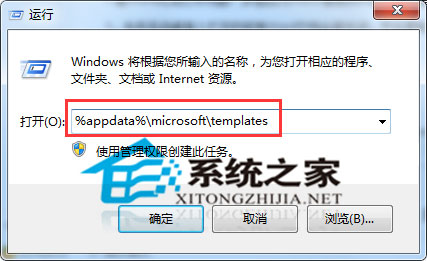
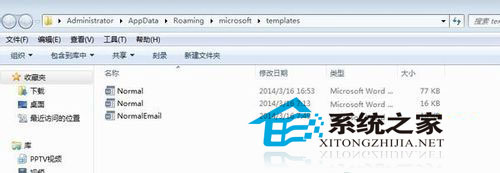
Normal.dot(或 Normal.dotm)刪除。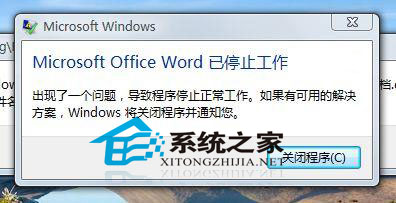
這招專治範本損壞導致的 Word 無法啟動/存檔錯誤,辦公族必備急救技能。
Win7 安裝會聲會影 8 提示「已安裝另一個版本」?移除舊版/卸載 VC++ 2008 Redistributable 後重裝
Windows 7 免重裝開啟 AHCI 模式:登錄表修改 + BIOS 設定雙步驟完整教學
Windows 7 硬碟燈狂閃找兇手:資源監視器三步驟精準定位進程/檔案
華碩 N53 筆電有線網速 8MB/s、無線僅 400KB/s?無線網卡/路由器/環境三大瓶頸
Win7 IE 瀏覽器彈出「Name: ocget.dll」錯誤視窗 登錄修復法
Win7 忘記開機密碼?USB 啟動盤離線重置密碼完整救援指南