Windows XP Windows 7 Windows 2003 Windows Vista Windows 綜合教學 Linux 系統教學
Windows 10 Windows 8 Windows 2008 Windows NT Windows Server 電腦軟體教學

Win7 安裝會聲會影 8 提示「已安裝另一個版本」?移除舊版/卸載 VC++ 2008 Redistributable 後重裝

編輯:Win7 系統應用技巧

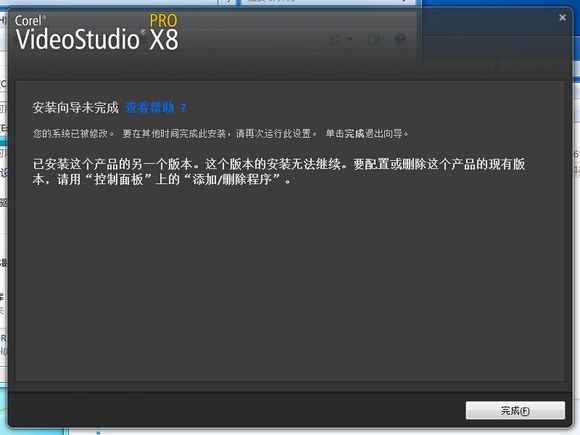
安裝會聲會影 8 遭遇「已安裝此產品其他版本」阻擋。主因殘留舊版註冊或 VC++ 2008 執行階段衝突。

解決步驟

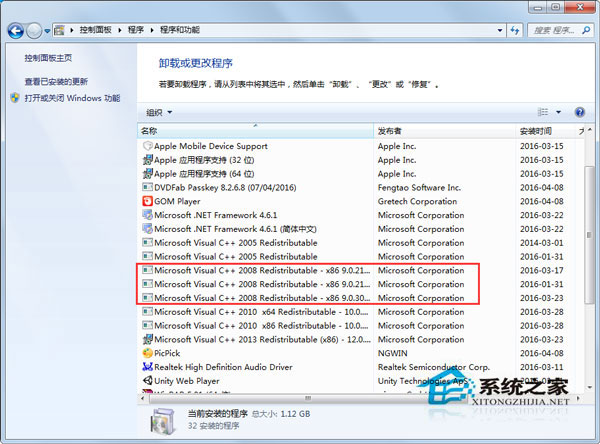
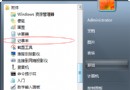
    <1. 控制台 → 「程式和功能」→ 檢查是否有舊版會聲會影 → 解除安裝。
  1. 若無舊版:解除安裝 Microsoft Visual C++ 2008 Redistributable - x64 與 - x86 兩個套件。
  2. 重新安裝會聲會影 8,通常可順利完成。
  3. 如需 VC++ 2008,安裝完成後再重新裝回。

已安裝其他版本提示

卸載 VC++ 2008

核心衝突點在 VC++ 2008 執行階段,移除後安裝程式可重新部署相容版本。

Copyright © Windows教程網 All Rights Reserved