Windows XP Windows 7 Windows 2003 Windows Vista Windows 綜合教學 Linux 系統教學
Windows 10 Windows 8 Windows 2008 Windows NT Windows Server 電腦軟體教學

Win7 彈窗 DfrgFat:Dfrgfat.exe 錯誤怎麼修?四招從註冊 DLL 到重建 WMI 庫徹底清理

編輯:Win7 系統應用技巧

頻繁彈出 DfrgFat:Dfrgfat.exe 錯誤,雖不影響使用但極其煩人。四種修復方案按成功率排序:

方法一:批次重註冊系統 DLL/OCX(最推薦)

  1. Win+R → cmd。
  2. 依序執行:
    for %1 in (%windir%\system32\*.ocx) do regsvr32 /s %1
    for %1 in (%windir%\system32\*.dll) do regsvr32.exe /s %1
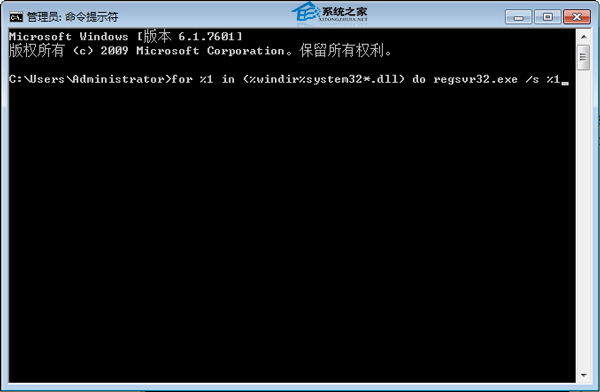
  3. 待畫面停止滾動,重啟電腦。
    批次註冊

方法二:清理啟動項

Win+R → msconfig →「啟動」標籤 → 刪除 DfrgFat.exe 相關項。
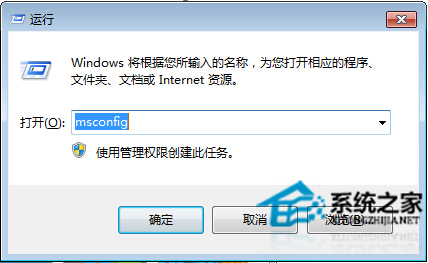
msconfig 啟動項

方法三:清空 Prefetch Layout.ini 並設唯讀

記事本開啟 C:\Windows\Prefetch\Layout.ini → 全選刪除內容 → 存檔 → 右鍵屬性勾選「唯讀」。
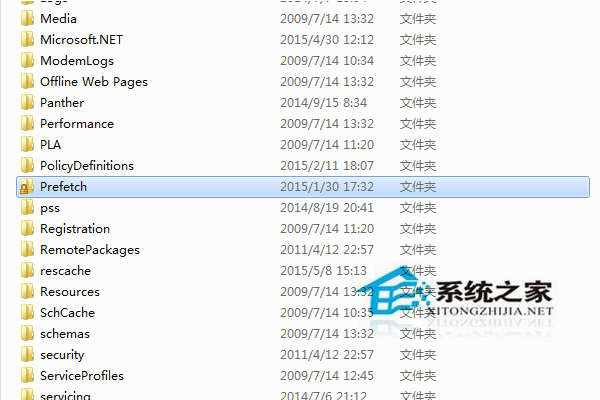
Layout.ini

方法四:重建 WMI 儲存庫(終極大招)

  1. 服務中停止 Windows Management Instrumentation。
  2. 刪除 C:\Windows\System32\wbem\Repository 內所有檔案(先備份)。
  3. 重啟該服務,系統自動重建庫。
  4. 重啟電腦。

理論上四招皆有效,建議按順序試,通常前兩招已能解決。

Copyright © Windows教程網 All Rights Reserved