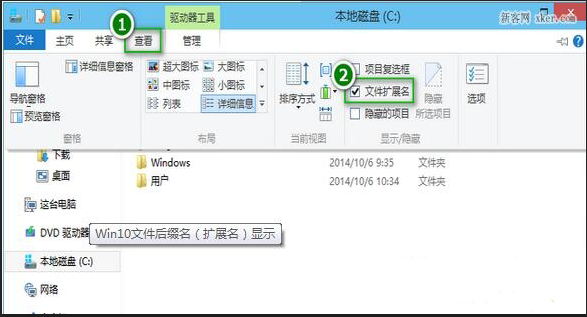
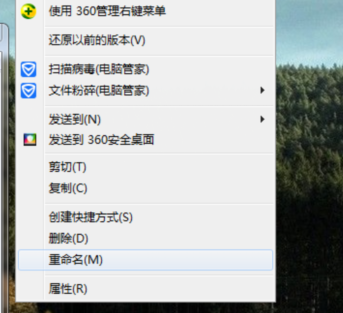
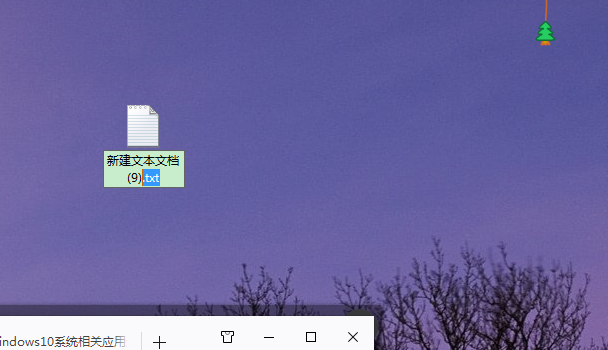
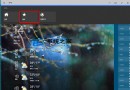
Win 10 修改副檔名步驟:
勾選「檔案副檔名」後即可直接看到並修改附檔名,操作直觀簡單。
加入 Windows Insider 計畫教學:微軟帳號註冊、接受條款、下載 Technical Preview ISO
升級 Windows 10 正式版後 Office 2013 失效?兩種情境完整重新啟用教學
Windows 10 桌上型電腦螢幕亮度調整教學:電源選項與顯示器實體按鈕雙重方案
Win10 系統效能評分 (WEI) 查看與重新執行方法
Win10 無限自動重啟徹底解決:BCD 編輯 + 磁碟檢查 + 系統檔案修復三步走
Win10 喚醒 Cortana(小娜)一句話新增提醒:語音助理進化為私人秘書
Windows 10 更新補丁儲存資料夾位置:C:\Windows\SoftwareDistribution\Download
Windows 10 Edge 瀏覽器關閉「使用 Microsoft 相容性清單」移除網站不相容提示