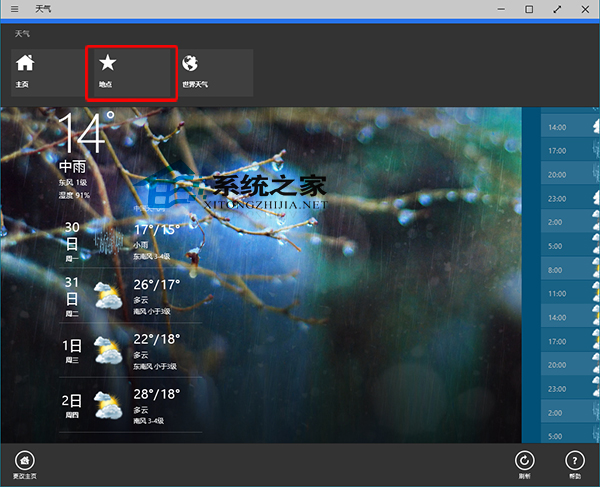
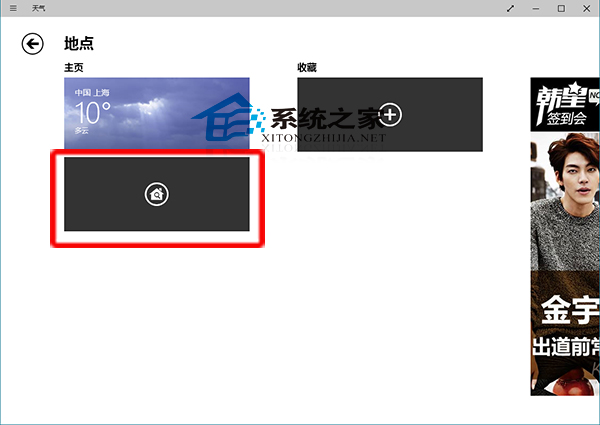
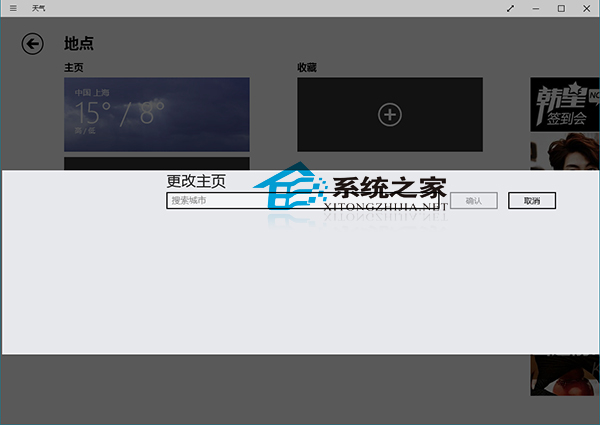
Windows 10 內建「天氣」應用首頁城市可自訂:
若從未使用過天氣應用,可先參考「Win10 如何開啟天氣應用」教學。
Windows 10 技術預覽版系統需求完整指南:硬體規格與安裝限制詳解
Win10 升級找不到 boot.wim?手動提取安裝檔案解決方案
Win10 無法自動關閉螢幕/待機/睡眠?同 22559 關閉快速啟動解決
Win10 如何隱藏「此電腦」桌面圖示?個人化→桌面圖示設定取消勾選電腦
Win10 Windows Defender 無法開啟?兩招修復:檢查服務路徑、命令列啟動
Win10 驅動安裝首選:驅動人生 6 實測完美相容
硬碟安裝 Win10 單/雙系統詳細步驟:軟媒硬碟裝機工具
百度 Win10 直通車相容性異常?同 ID 22968/22991 修改 AutoAdminLogon 為 0