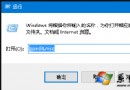
透過登錄檔指定預設瀏覽器:
regedit 開啟登錄編輯器。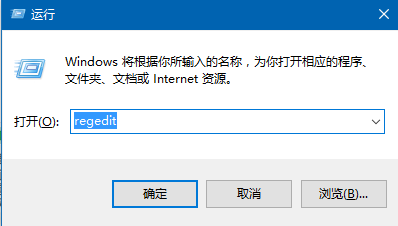
HKEY_CLASSES_ROOT\http\shell\open\command,雙擊右側「預設」值,改為目標瀏覽器完整路徑 (如 "C:\Program Files\Chrome\Application\chrome.exe" "%1") → 確定。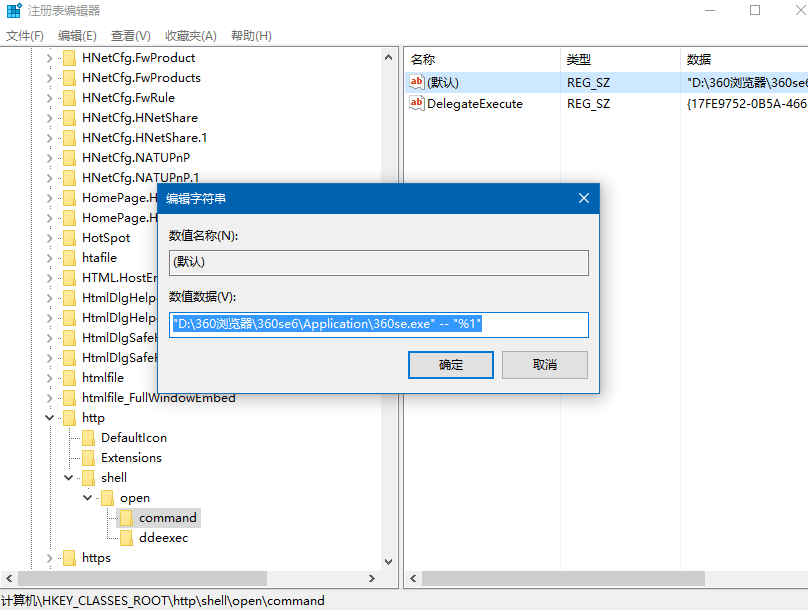
注意:修改登錄前請先匯出備份,避免誤改導致系統異常。
Windows 10 解除安裝程式四步驟:開始右鍵 → 程式與功能 → 右鍵選擇解除安裝 → 確認
Windows 10 Build 9879 IE 瀏覽器無法開啟修復教學 (註冊表權限法)
Win10 快速切換至桌面的兩大絕招:任務列按鈕與 Win+D 快捷鍵
Windows 10 切換使用者完整教學:鎖定畫面與快速鍵兩大法
Windows 10 正式版 20 大創新亮點完整盤點:開始選單、Cortana、虛擬桌面、Edge、DirectX 12...
Win10 憑證保護功能詳解:VBS 隔離容器保護認證、僅企業版支援、需 TPM 2.0 + UEFI + VT-x