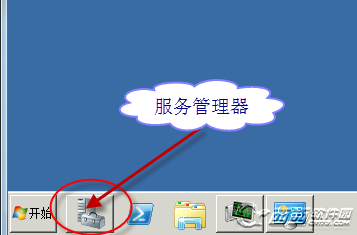
開啟網路芳鄰速度極慢,影響尋找區域網路主機效率。排查步驟如下:
services.msc,找到「Task Scheduler」服務,右鍵「屬性」→ 停止服務,並將啟動類型改為「手動」。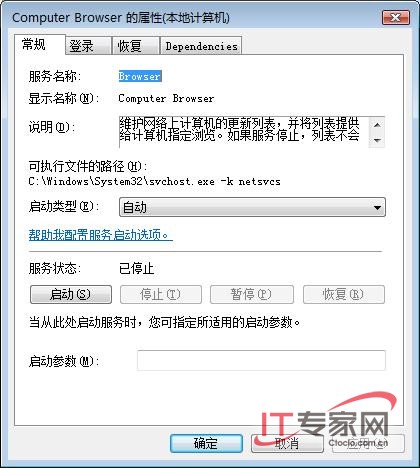
完成設定後,網路芳鄰將能快速顯示線上主機。
Windows Server 2008 實用設定技巧:IE ESC、無線網卡、無線服務啟用全攻略
Windows Server 2008 進階安全實作五大場景:軟體限制原則封鎖迅雷/病毒、防火牆阻擋 Ping 攻擊、代理鎖定上網權限、強制斷開遠端連線
Windows Server 2008 啟用網路存取保護 (NAP) 完整部署指南:健康原則、驗證策略、網路原則、DHCP 強制
Server Core 部署 IIS 7 + PHP FastCGI + MySQL 完整實戰手冊
Windows Server 2008 使用 Diskpart 命令列管理磁碟(列出、選取、建立分區、RAID、指令碼自動化)
IIS 7.5 在 Windows Server 2008 R2 的關鍵增強:FTP/WebDAV 內建、PowerShell 提供者、FastCGI 優化與最佳實務分析器