Windows Server 2008 功能強大且安全性高,但預設設定未必發揮最大效能。針對常見痛點,提出四項優化建議:
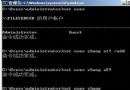
開啟 gpedit.msc,依序展開「電腦設定」→「Windows 設定」→「安全性設定」→「帳戶原則」→「帳戶鎖定原則」,將「帳戶鎖定臨界值」設為 3,連續 3 次密碼錯誤即鎖定帳戶。

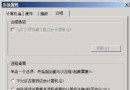
於 services.msc 中找到「Windows Module Installer」,停止服務並將啟動類型改為「手動」或「停用」,避免線上更新時佔用大量 CPU。
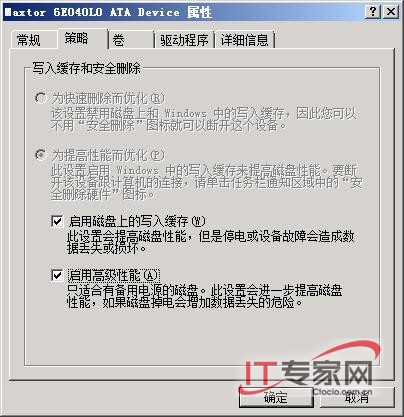
在伺服器管理器 →「診斷」→「裝置管理員」中,對目標磁碟右鍵「屬性」→「原則」索引標籤,勾選「啟用進階效能」與「啟用磁碟寫入快取」。
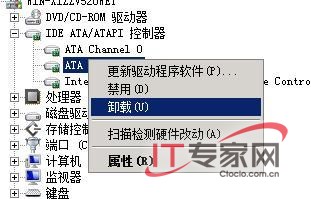
裝置管理員 →「IDE ATA/ATAPI 控制器」,確認閒置通道後,右鍵選擇「解除安裝」暫時停用,減少硬體載入負擔。
Windows Server 2008 R2 Active Directory 資料庫維護:NTDS.dit 壓縮整理與移動至專用磁碟 (ntdsutil 實戰)
Windows Server 2008 伺服器管理員:角色新增、移除、管理、健康監控一站式控制台詳解
Microsoft WSUS 3.0 安裝與配置完整圖文教學
Windows Server Core 便捷操作與遠端管理:自訂提示符、快速列出設定指令、啟用遠端 MMC/WinRS 管理通道
Windows Server 2008 延長評估期限指令與排程自動化:slmgr.vbs -rearm 完整操作
Windows Server 2008 R2 與 2012 建立樹系信任完整圖文教學:DNS 條件轉送/存根區域、雙向樹系信任、選擇性驗證
Windows Server 2008 自助安全防禦:強制啟用 DEP、限制一般使用者上網、關閉自動執行、BIOS 密碼、稽核原則