Windows XP Windows 7 Windows 2003 Windows Vista Windows 綜合教學 Linux 系統教學
Windows 10 Windows 8 Windows 2008 Windows NT Windows Server 電腦軟體教學
您现在的位置: Windows教程網 >> Windows教程 >  >> Windows Server 系統教學 >> Server 2008

Windows Server 2008 R2 Active Directory 資料庫維護:NTDS.dit 壓縮整理與移動至專用磁碟 (ntdsutil 實戰)

編輯:Server 2008

Active Directory 資料庫 (NTDS.dit) 與記錄檔長期運行會產生碎片、佔用空間。生產環境建議將資料庫與記錄檔置於獨立磁碟/RAID。本文實戰示範使用 ntdsutil 離線壓縮資料庫 (整理碎片、回收空間)、移動資料庫與記錄檔至 C:\NTDS 專用資料夾的完整流程。

前置準備

  • 完整系統備份 (系統狀態 + 裸機)
  • 目標資料夾 C:\NTDS 已建立 (或由 ntdsutil 自動建立)
  • 確認磁碟剩餘空間 ≥ 資料庫目前大小 1.5 倍 (壓縮過程需暫存空間)

操作步驟

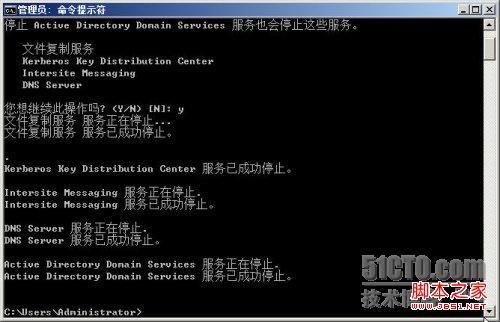
  1. 停止 AD 服務:net stop ntds (或服務管理員停用「Active Directory Domain Services」)
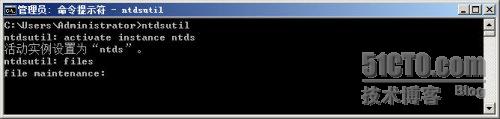
  2. 開啟命令提示字元 → 輸入 ntdsutil 進入互動模式
  3. 依序輸入:
    activate instance ntds
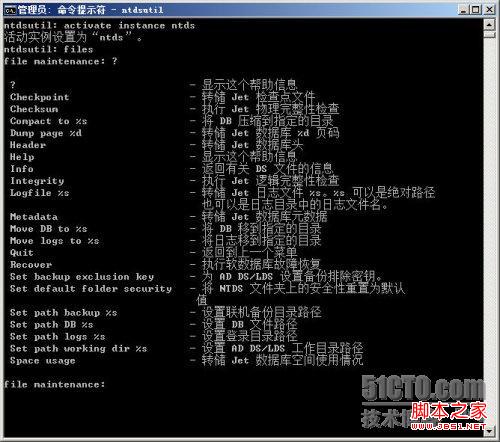
    files
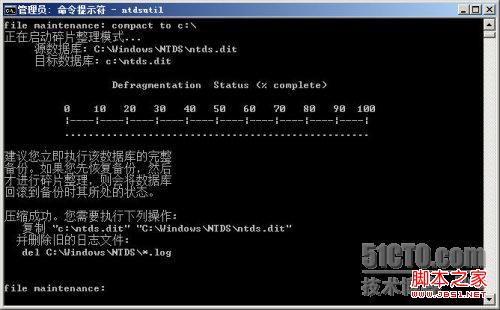
    compact to C:\
    
  4. 壓縮完成後:將 C:\NTDS.dit 複製回原資料夾 (預設 C:\Windows\NTDS),刪除原資料夾所有 *.log 記錄檔
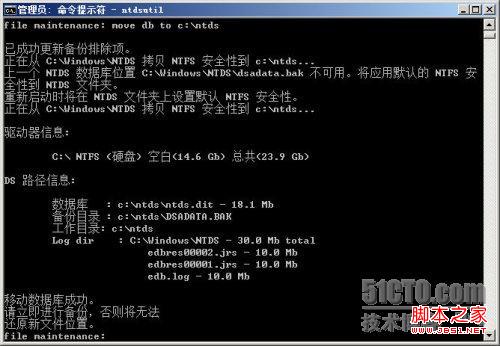
  5. 移動資料庫:move db to C:\NTDS (系統自動建立資料夾、重開機後自動設定權限)
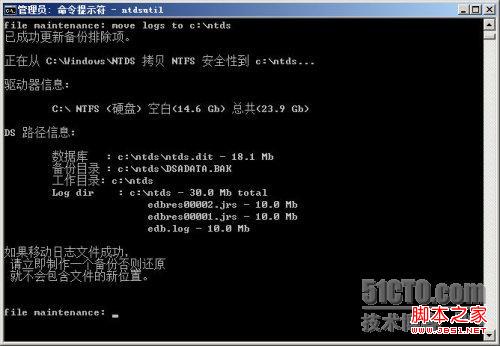
  6. 移動記錄檔:move logs to C:\NTDS
  7. 輸入 quit 兩次離開 ntdsutil
  8. 重新開機
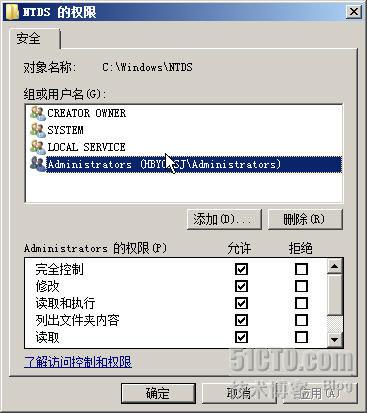
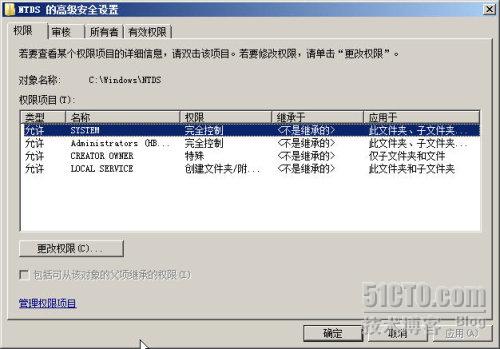
  9. 驗證:事件檢視器 → Directory Service 記錄確認啟動無誤;檢查 C:\NTDS 權限、檔案存在

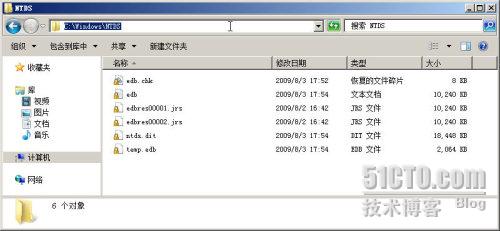
NTDS.dit 檔案資訊

記錄檔資訊

資料庫詳細資訊

停止 AD 服務

ntdsutil 啟動與 activate instance

files 選單與指令說明

compact to C:\ 執行壓縮

move db to C:\NTDS

move logs to C:\NTDS

重要提醒:
- 壓縮與移動必須在 **離線模式** (AD 服務停止) 執行
- 生產環境建議排程維護時段執行,並通知相關權責人員
- 移動後原資料夾可保留備份一段時間,確認穩定後再清除
- 定期監控資料庫大小與磁碟剩餘空間,避免空間耗盡導致 AD 停擺

Copyright © Windows教程網 All Rights Reserved