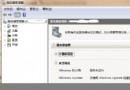
在 VMware Workstation 中安裝 Windows Server 2008 (32 位元 ISO: cn_windows_server_standard_enterprise_and_datacenter_with_sp2_x86_dvd_x15-41045.iso),並透過注入 DELL OEM SLP 生物特徵檔 (DELL.ROM) 與授權憑證 (DELL.XRM-MS) 實現離線永久啟用。注意:32 位元 VMware 無法安裝 64 位元客體 OS。
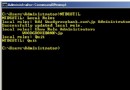
DELL.ROM 複製至虛擬機目錄 (與 .vmx 同層).vmx 檔案 → 新增一行:bios440.filename = "DELL.ROM"DELL.XRM-MS 複製至客體 OS C: 根目錄slmgr.vbs -ilc C:\DELL.XRM-MS223PV-8KCX6-F9KJX-3W2R7-BB2FH法律與合規提醒:
- SLP (System Locked Pre-installation) 授權機制僅適用於對應廠牌 (DELL/HP/Lenovo 等) 實體硬體
- 在虛擬機注入 OEM BIOS/憑證屬於繞過授權機制,**不符合微軟授權條款**
- 生產/商業環境請購買正規大量授權 (VL) 或零售版金鑰,並使用 KMS/MAK 合規啟用
- 本文僅供實驗室/教學環境參考技術原理