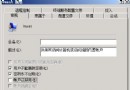
離線檔案讓使用者在斷網狀態下仍能存取網路共享資料夾,系統自動快取至本機,重新連線時同步變更,提升行動/分支辦公效率。
完成後,使用者首次存取該共用資料夾內容即自動快取至本機,離線時仍可讀寫,聯線後自動同步。
Windows Server 2008 Core 模式管理與配置實戰
解決 Windows Server 2008 無線網路「未正確配置為使用 IP 協定」錯誤
優化 Windows Server 2008 提升上網速度實戰指南
Windows Server 2003 編輯 Boot.ini 完整指南:檢視、修改 ARC 路徑與多重開機修復
解決 Windows Server 2008 R2 無法安裝 SP1 或更新補丁 (錯誤 0x80070005 拒絕存取)
Windows Server 2008 R2 八大核心優勢解析