安裝 SP1 或 Windows Update 時失敗,事件檢視器記錄:
Catalog Database (1132) 由於系統錯誤 5 (0x00000005): "拒絕存取",
打開檔案 "C:\Windows\system32\CatRoot2\{F750E6C3-38EE-11D1-85E5-00C04FC295EE}\catdb" 讀/寫失敗。
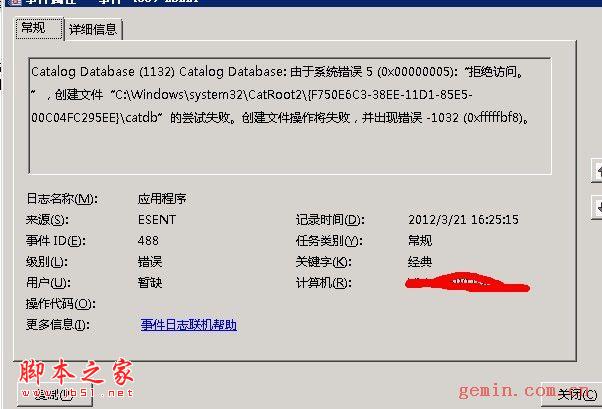
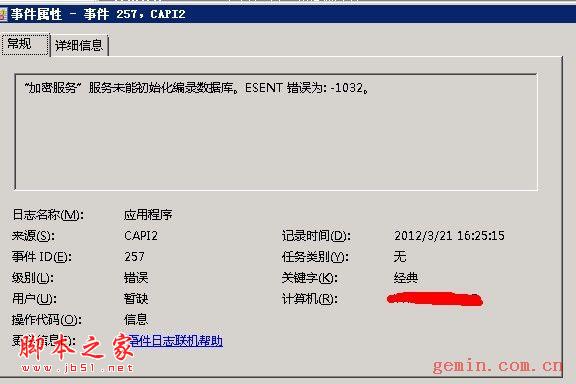
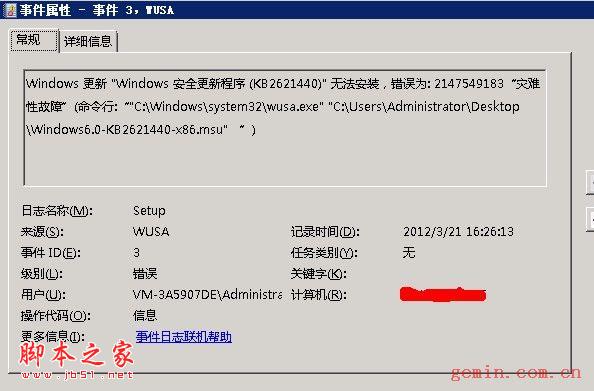
C:\Windows\System32\catroot2 目錄權限不足,導致系統無法寫入編目資料庫,特別是 CryptSvc 服務帳戶缺乏完整控制權限。
C:\ 根目錄 Users 群組讀取權限 (僅根目錄,不需傳遞給子目錄):icacls C:\ /grant Users:RC:\Windows\System32\catroot2 目錄遞歸套用完整權限,確保 CryptSvc 擁有完全控制:icacls "C:\Windows\System32\catroot2" /grant "NT SERVICE\CryptSvc":F /t注意:修改系統目錄權限有風險,操作前建議備份系統或建立還原點。
Windows Server 2008 離線檔案配置完整攻略
善用 Windows Server 2008 指令快速排解網路疑難雜症
解決 Windows Server 2008 無線網路「未正確配置為使用 IP 協定」錯誤
OEM 廠商聯手微軟推出 Windows Server 2008 Foundation 預裝伺服器
Windows Server 2008 簡易密碼設定教學:關閉複雜性需求
Windows Server 2008 提升 AD 管理效率三大絕招
活用 Windows Server 2008 內建安全功能:NAP 部署完整實作
Windows Server 2008 自助安全防禦:強制啟用 DEP、限制一般使用者上網、關閉自動執行、BIOS 密碼、稽核原則