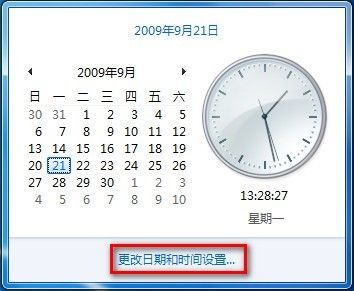
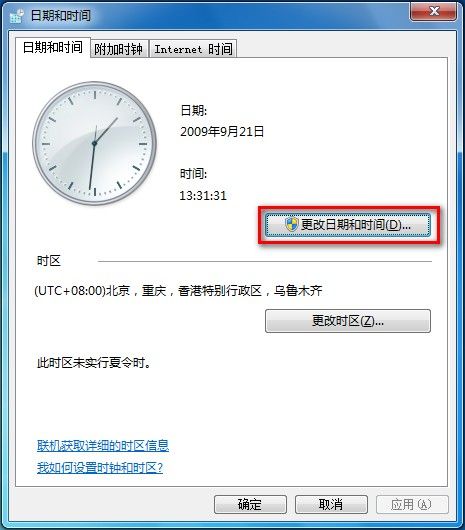
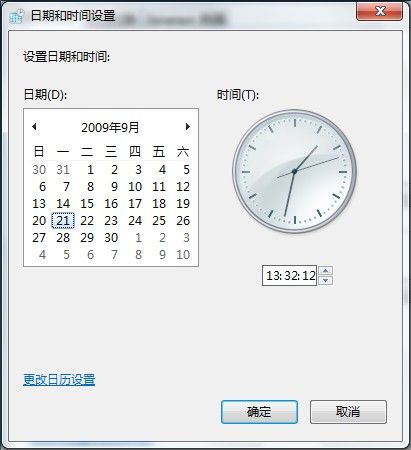
當網路時間同步失效或需手動指定時間時:
Win10 新增/啟用本地帳號教學:擺脫 Microsoft 帳號密碼煩惱
Windows 10 啟用休眠模式完整教學:睡眠與休眠差異解析
Win7 螢幕亮度調整兩大法:控制面板電源選項與 Win+X 行動中心快速調節
Windows 7 內建工具查看詳細效能配置與系統資訊:三種方法完整掌握
Win10 升級 11099/11082 卡在 76% 不動?兩種語言區域修正法完美解決
Win10 版本號怎麼看?三種快速查詢方法(winver、CMD、登錄檔)
Windows 開啟 PDF 提示「在停用 UAC 時無法啟動此應用程式」?兩種方法啟用 UAC 解決
Win10 相機應用儲存位置變更:預設本機相片資料夾可自訂路徑