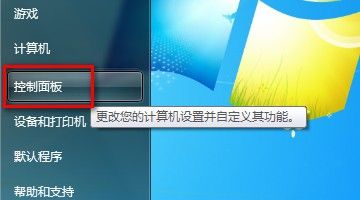
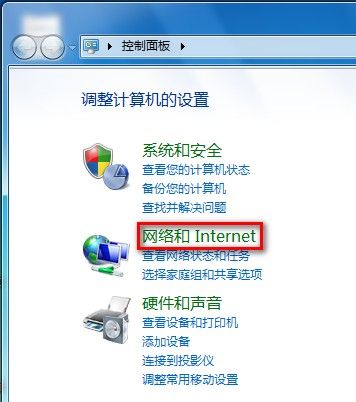
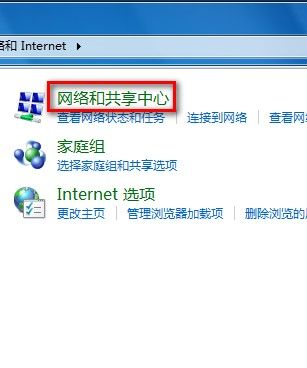
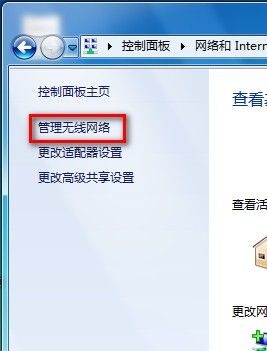
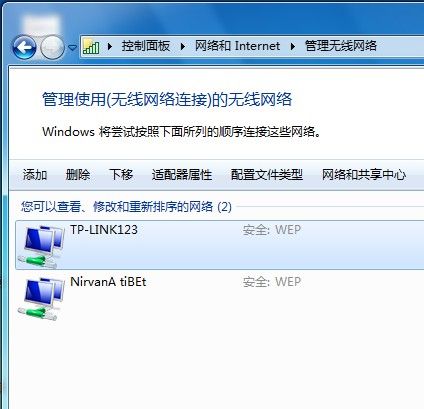
Windows 7 「管理無線網路」集中管理所有已儲存的無線網路設定檔:
Win10 如何將乙太網路 (有線網路) 設為依流量計費連線?修改登錄實現
Windows 7 IE 設定預設首頁:指定開啟指定網站
Win10 多桌面(虛擬桌面)無法獨立顯示任務欄程序?一鍵設置隔離
Windows 10 Build 10130 Cortana 獲得改進:新介面、白色通知動畫、電池快顯支援主題色
360 版 Win 10 是正版嗎?曝光內建大量 360 軟體、停用 360 即變未啟用
Windows 10 開機藍屏解決:Win8 升級後禁用獨顯/重裝驅動雙策略
WinXP 惠普筆電觸控板驅動回滾教學:從 16.5.4.0 降級至 5.1.2600.0
Win7 開機提示「non-bootable disk 80」?用 FDISK /MBR 修復主開機磁區