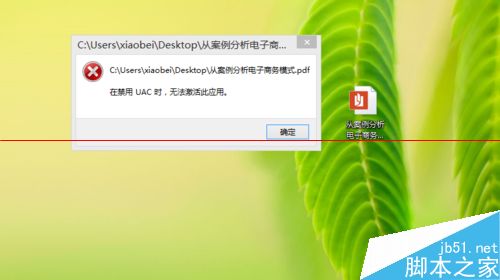
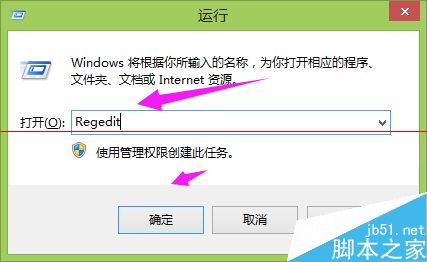
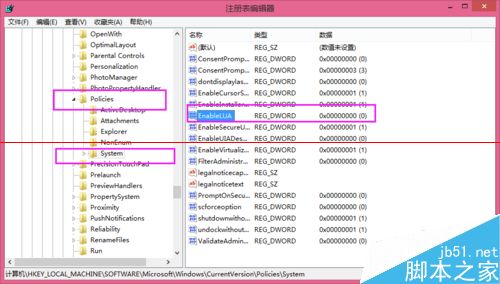
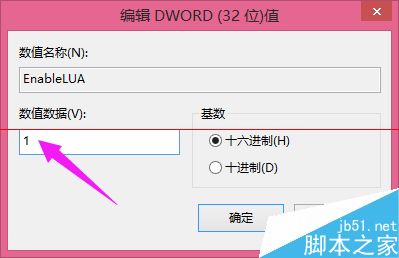
UAC (使用者帳戶控制) 被停用會導致部分現代應用 (含 PDF 閱讀器) 無法啟動。以下兩種方法可重新啟用 UAC。
regedit
HKEY_LOCAL_MACHINE\SOFTWARE\Microsoft\Windows\CurrentVersion\Policies\System
EnableLUA
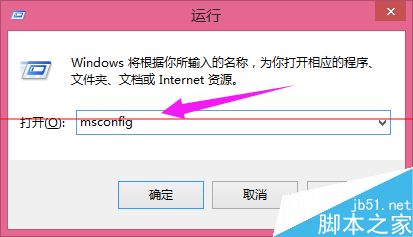
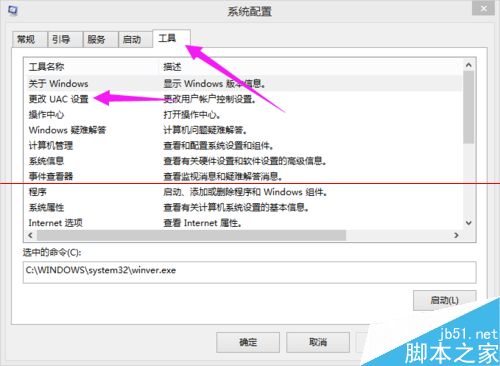
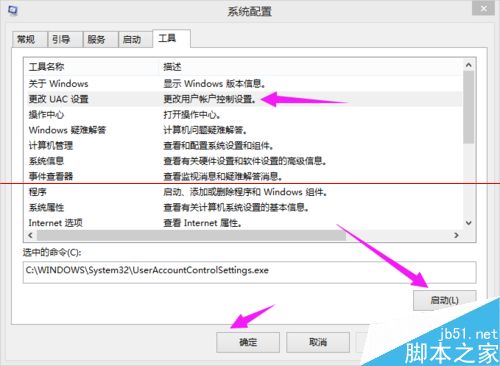
msconfig
UAC 為重要安全機制,建議保持啟用。若必須暫時關閉,請於操作完成後立即重新開啟。
WinXP 設定 Caps Lock 鍵關閉大寫鎖定,告別誤觸輸入錯誤
無法存取區域網路 Windows 7 電腦?防火牆開啟 80 埠解決
Win10 搜尋列卡頓解決方案:關閉 Bing 線上搜尋恢復流暢體驗
Win7 安裝 QQ 失敗?騰訊電腦管家「電腦診斷」一鍵修復
Win7 磁碟分區完整圖文教程:磁碟管理工具無損調整 C 擴、建立 D/E 盤
U大師 U 盤啟動盤製作工具 V4.3 完整圖文教學:從安裝到進入 PE
USB 隨身碟安裝 Win10 專業版完整教學,軟媒魔方製作啟動碟
PE 還原 Win7 系統報錯 Error Number: (19010)?四大核心原因與對策