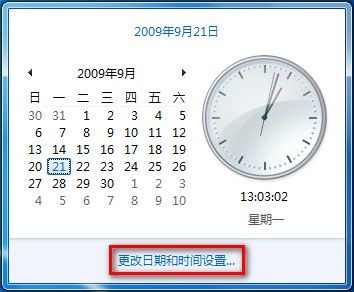
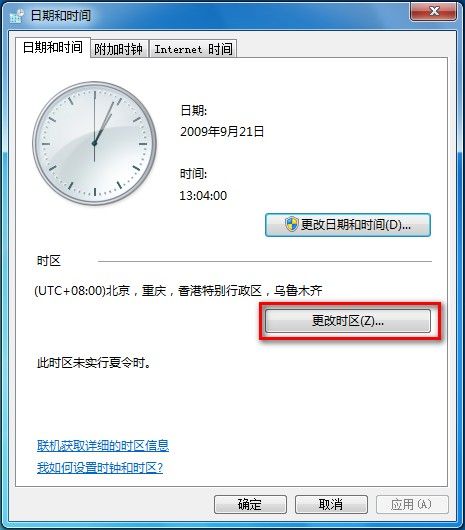
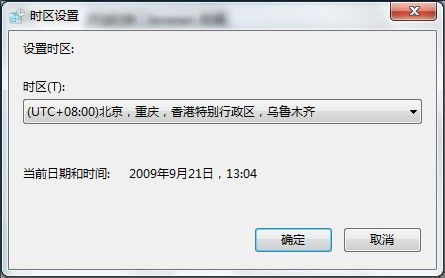
正確設定時區確保系統時間與排程任務準確執行:
Win10 升級報錯代碼 1049 解決實錄:根分區擴充至 40GB 完美修復
Win7 玩 DNF 卡畫面?調整虛擬記憶體與相容模式雙管齊下
Win8.1 下載程式提示「簽章無效」?關閉 IE「檢查已下載程式的簽章」選項即可
Win8 滑鼠右鍵無法「新增」檔案/資料夾:修復 ShellNew 登錄鍵值
Win7 智慧型音量自動調節:通訊活動偵測自動降低/靜音其他聲音
Win7 剛裝好就不斷「正在配置更新」?關閉自動更新/改為手動檢查徹底靜音
Windows 8 匯出自訂主題為 .deskthemepack 檔案分享
Win8.1 IE11 安裝廣發銀行密碼控件無法使用?以系統管理員身分執行安裝教學