Win7 運行《地下城與勇士》(DNF) 頻繁卡畫面,多因虛擬記憶體不足或程式相容性問題。提供兩種針對性解決方案。
方法一:擴大虛擬記憶體至 DNF 安裝磁碟
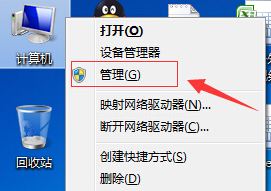
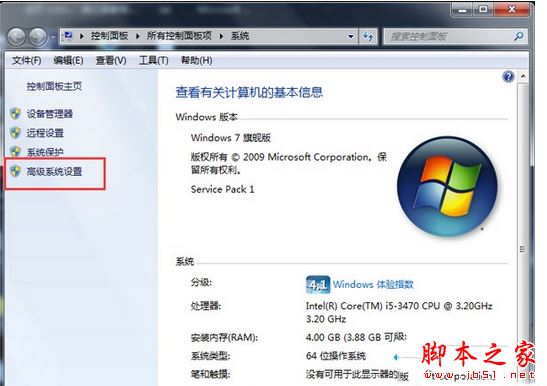
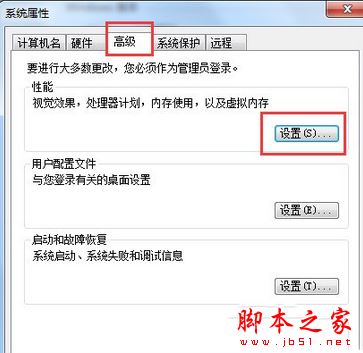
- 「電腦」右鍵→「內容」→「進階系統設定」→「進階」→「效能」→「設定」→「進階」→「變更」。
- 選擇 DNF 安裝所在磁碟→「自訂大小」→「初始大小 4096 MB / 最大值 10240 MB」→確定→重新開機。
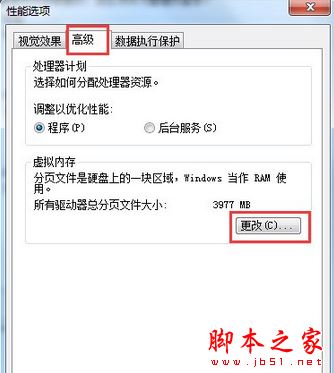
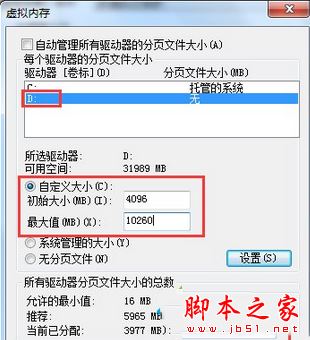
方法二:設定 DNF 執行檔相容模式
- 右鍵 DNF 遊戲捷徑/執行檔→「內容」→「相容性」。
- 勾選「以相容模式執行這個程式」,下拉選單選擇目前使用的作業系統版本(如 Windows 7)。
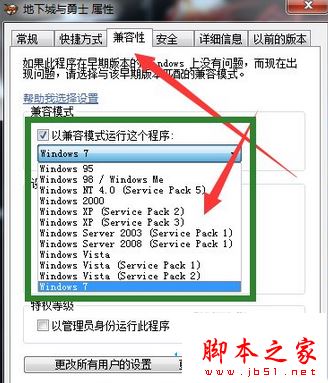
兩種方法可單獨或組合使用,通常能有效解決 DNF 卡畫面問題。