升級 Windows 10 後,預設輸入法切換熱鍵變更為 Win+Space,許多習慣 Ctrl+Shift 的用戶感到不適。以下為將切換熱鍵恢復為 Ctrl+Shift 的完整步驟:
操作路徑
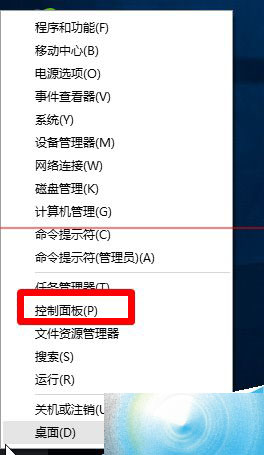
- 右鍵點擊開始按鈕 → 選擇 控制台
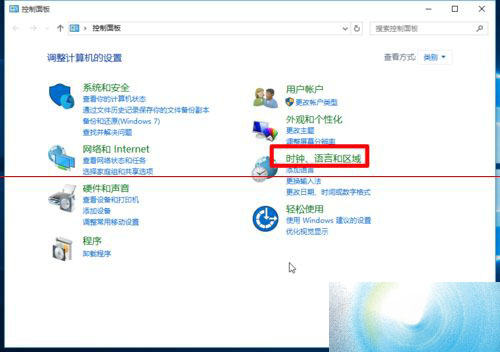
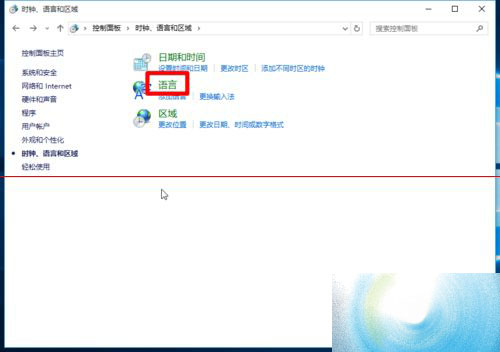
- 檢視模式設為「類別」 → 點擊 時鐘、語言和地區
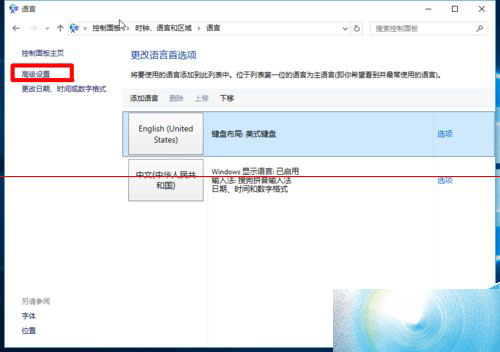
- 點擊 語言
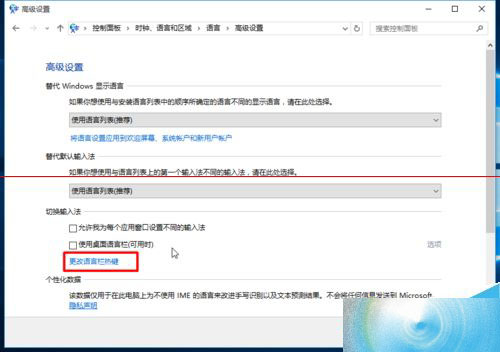
- 左側選單選擇 進階設定
- 點擊 變更語言列熱鍵
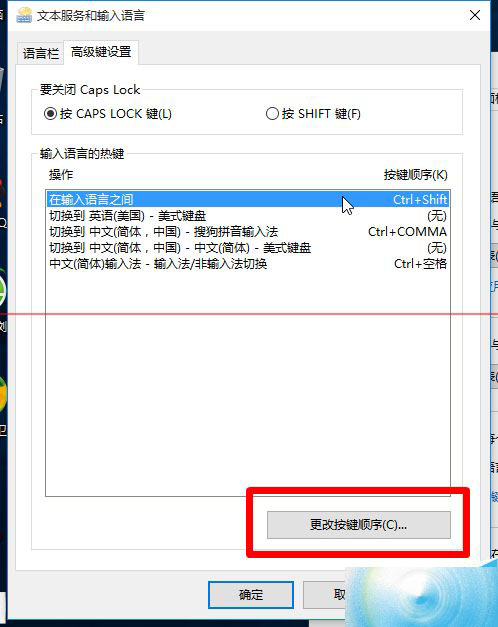
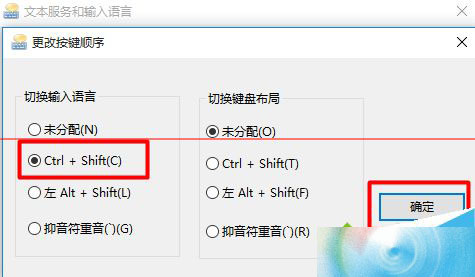
- 在「熱鍵」頁籤點擊 變更按鍵順序
- 選中 切換輸入法語言 → 點擊 變更按鍵 → 選擇 Ctrl+Shift → 確定
- 所有視窗依序點擊「確定」/「套用」生效
圖文對照
快速替代方案
- 設定 App 法: Win+I → 時間與語言 → 語言 → 拼寫、輸入與鍵盤設定 → 進階鍵盤設定 → 輸入法熱鍵
- 註冊表法(進階): 修改
HKEY_CURRENT_USER\Keyboard Layout\Toggle 中的 Hotkey 值
結語
肌肉記憶是效率關鍵。花 2 分鐘將輸入法切換熱鍵改回熟悉的 Ctrl+Shift,能立即消除跨系統操作的認知負擔,讓 Windows 10 真正順手好用。