羨慕 Mac 平台字型渲染清晰銳利?Windows 上免費開源工具 MacType (基於 FreeType 引擎) 可大幅提升字型渲染品質,讓 Windows 字型顯示效果接近 Mac。
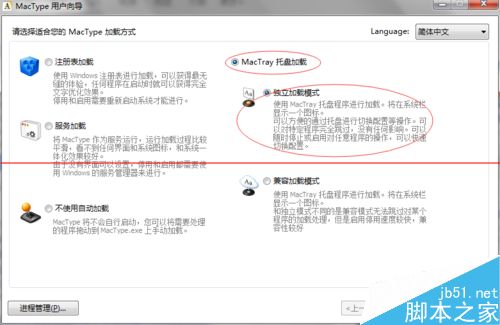
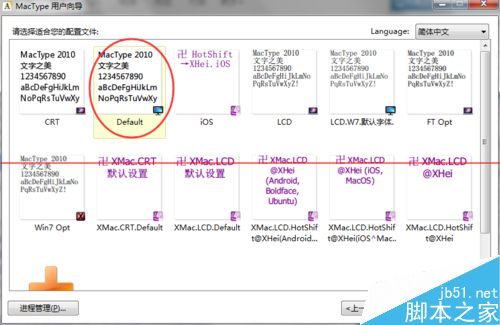
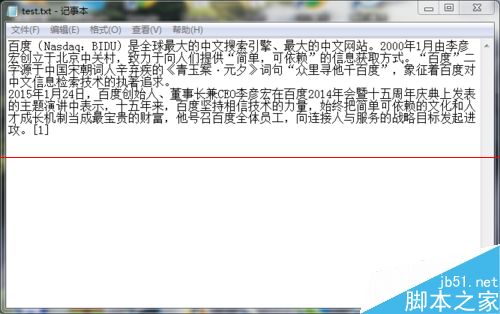
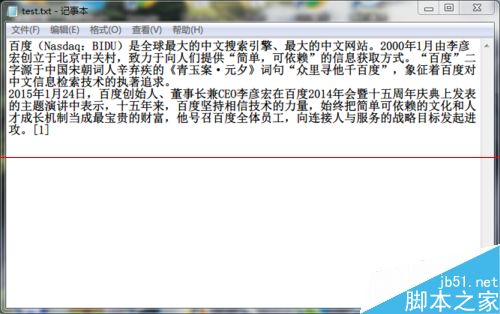
MacType 兼容性極佳,對系統效能影響極小,是追求極致字型閱讀體驗的 Windows 用戶必裝神器。
Windows 10 專業版隱藏/顯示資料夾完整教學:兩步驟輕鬆保護隱私
Win10 照片應用「選擇性焦點」效果,讓照片局部銳利背景虛化更有質感
Windows 8 使用 sfc /scannow 修復系統檔案:命令提示字元(系統管理員)掃描替換損毀檔案
Windows 7 64位元旗艦版調整字體縮放比例 讓文字變大
Windows 10 離線安裝 .NET Framework 3.5 技巧:掛載 ISO 使用 DISM 指令避免線上下載緩慢
Win10 微軟拼音輸入法設定預設輸入模式為英文:設定 App → 時間與語言 → 區域與語言 → 選項 → IME 預設模式