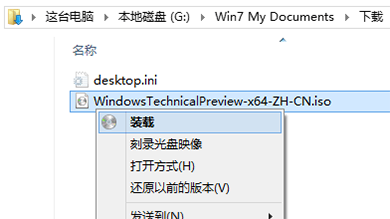
Windows 10 安裝軟體常提示需求 .NET Framework 3.5,線上下載極慢。透過掛載 Windows 10 ISO 使用 DISM 指令即可離線秒裝。
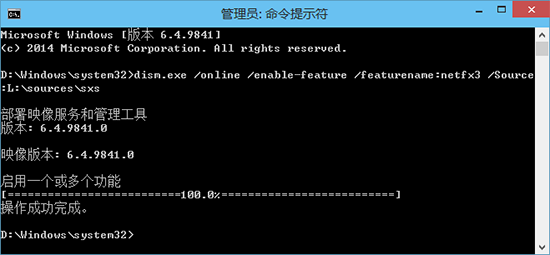
dism.exe /online /enable-feature /featurename:netfx3 /Source:L:\sources\sxs
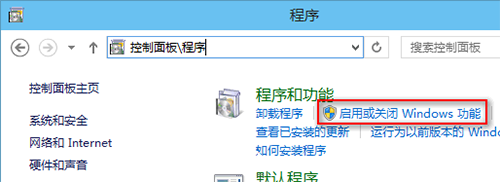
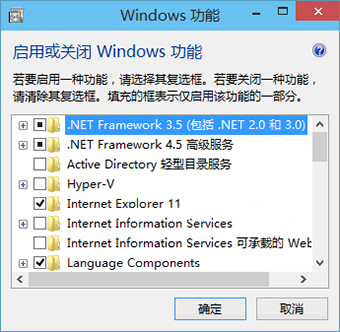
勾選後系統仍會嘗試從 Windows Update 線上下載,速度同樣緩慢。DISM 指定本地來源 /Source 參數可完全離線安裝。
/Source
Win10 開始選單簡化後高效使用技巧:固定/取消/拖拽排版/任務欄雙重固定
Win10 開機黑畫面久、開機慢?雙顯卡筆電必看:停用獨顯驅動 + 禁止自動安裝驅動徹底解決
Win8.1 更新後黑畫面/藍畫面?顯卡驅動不相容為主因,安全模式卸載重裝最新版即可修復
Win7 開始選單顯示「最近使用項目」提升開啟應用程式效率
Win8/8.1關閉自動播放功能完整教程:釋放內存提升性能
Win10 待機喚醒後無法連 Wi-Fi?關閉網卡「允許電腦關閉裝置以節省電源」徹底解決
WinXP 開始功能表只有經典風格?群組原則恢復 XP 風格選項
Win10 企業版安裝 CAD Electrical 2016 提示缺少 .NET 4.5 解決方案