安裝某些精簡版 XP 後,開始功能表屬性只剩「經典風格」,少了「Windows XP 風格」。這是群組原則限制導致。
gpedit.msc。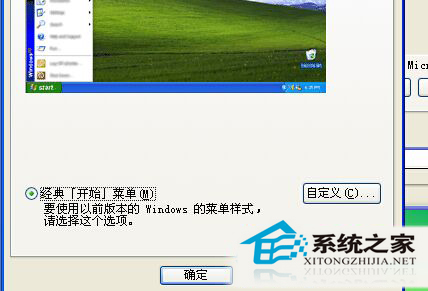
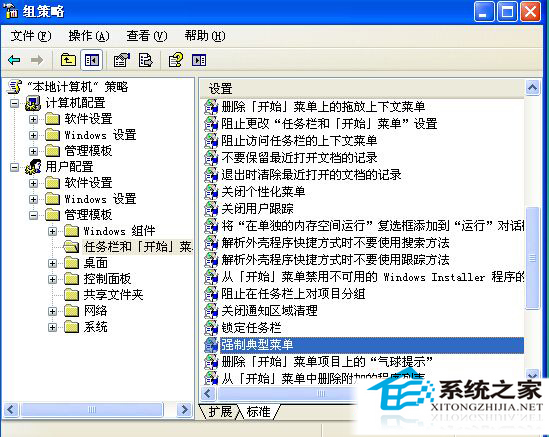
重新開啟開始功能表屬性,即可看到兩種風格供選擇。雨林木風等精簡版常預設此限制,解除後即可自由切換。
Win10 Build 10009 全新瀏覽器 Project Spartan 實測:Edge 引擎、Cortana 整合、閱讀模式
Win8.1 32位元 vs 62位元差異詳細解析:該裝哪個?
ThinkPad X61 (1GB 記憶體) 安裝 Win10 實測:開機 15 秒、Cortana 可用、但進入系統初期嚴重卡頓
WinXP IE 跳出「執行階段錯誤,是否偵錯?」?關閉腳本偵錯功能即可
Win7 安裝 AutoCAD 2016 提示「安全系統無效」?啟用 FlexNet Licensing Service 64 服務解決
Win10 Mobile 10166 正式推送:修復 10149 大量已知 Bug,UI 細節再優化