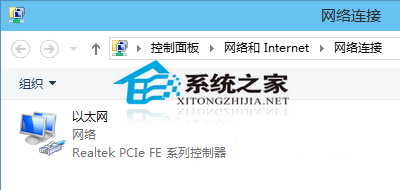
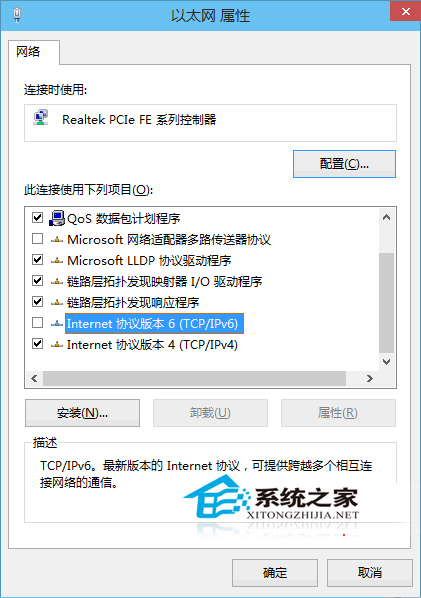
Win10 預設啟用 IPv6,但現階段主流仍為 IPv4,IPv6 可能影響系統效能與磁碟佔用。關閉方法:
未來需啟用時,重新勾選即可。IPv6 是下一代網際網路協定,尚未普及前關閉可減少不必要的協定開銷。
騰訊 Win10 升級助手點擊登入無反應?重啟組件服務或結束進程即可解決
Win10 更新 10532 失敗 0xc1900204?重置更新元件與 DISM 修復
【影片】Win10 Mobile Build 10080 上手體驗:Bug 多、死機頻繁,暫不建議主力機安裝
Win10 開始選單/Cortana 嚴重錯誤無法工作?臨時解決方案與網友提供的 User Manager 服務修復法
收不到 Win10 升級推送怎麼辦?檢查版本需求、開啟自動更新、安裝 KB3035583/KB2952664 或執行修復腳本
Windows 7 合併磁碟分割區:刪除卷 + 擴展卷圖文教學
Windows 7 自訂程式庫資料夾圖示教學
Win10 TH2 秋季更新新功能一覽:效能提升、小娜進化、Edge 強化、記憶體壓縮等亮點解析