Windows XP Windows 7 Windows 2003 Windows Vista Windows 綜合教學 Linux 系統教學
Windows 10 Windows 8 Windows 2008 Windows NT Windows Server 電腦軟體教學
您现在的位置: Windows教程網 >> Windows教程 >  >> Windows 綜合教學 >> 關於 Windows

Windows 7 自訂程式庫資料夾圖示教學

編輯:關於 Windows

前言

Windows 7 程式庫預設圖示單調,實際上可透過編輯程式庫定義檔(.library-ms)指定自訂圖示。

操作步驟

  1. 準備 .ico 圖示檔,放置已知路徑(如 D:\Icons\MyLib.ico)
  2. 開啟程式庫定義檔所在資料夾:
    %AppData%\Microsoft\Windows\Libraries
    (對應 C:\Users\<用戶名>\AppData\Roaming\Microsoft\Windows\Libraries)
  3. 以記事本開啟目標程式庫檔案(將 .library-ms 拖曳至記事本)
  4. 在 <libraryDescription> 區塊內加入:
    <iconReference>D:\Icons\MyLib.ico</iconReference>

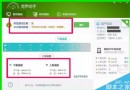
    (路徑需為絕對路徑,建議使用 .ico 格式)
  5. 儲存檔案,程式庫圖示即時更新

注意事項

  • 圖示檔案不可移動或刪除,否則程式庫將顯示預設圖示。
  • 此法僅適用於使用者自建程式庫,系統預設程式庫(文件、音樂、圖片、影片)同樣可修改但需管理員權限。
  • 若圖示未即時更新,嘗試重新整理檔案總管(F5)或重新登入。
Copyright © Windows教程網 All Rights Reserved