Windows XP Windows 7 Windows 2003 Windows Vista Windows 綜合教學 Linux 系統教學
Windows 10 Windows 8 Windows 2008 Windows NT Windows Server 電腦軟體教學
您现在的位置: Windows教程網 >> Windows教程 >  >> Windows 綜合教學 >> 關於 Windows

Win10 桌面右鍵選單反應慢?刪除登錄 ContextMenuHandlers 多餘項目秒速修復

編輯:關於 Windows

Win10 普遍存在桌面右鍵選單彈出延遲 5-6 秒問題,非硬體效能問題,而是登錄 ContextMenuHandlers 累積過多第三方殼擴充套件導致。刪除多餘項目即可秒速彈出。

修復步驟

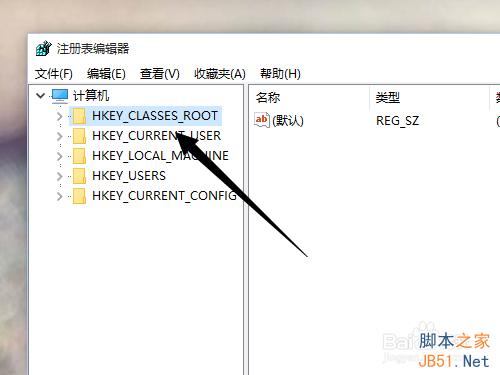
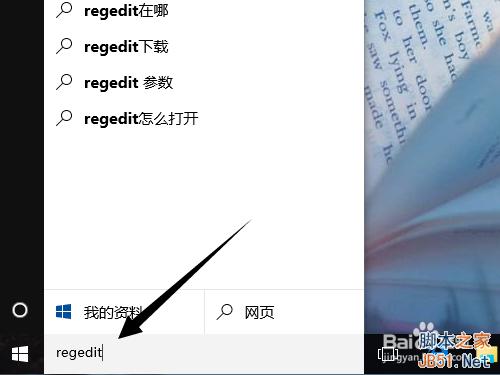
  1. Win+R 輸入 regedit 開啟登錄編輯器。
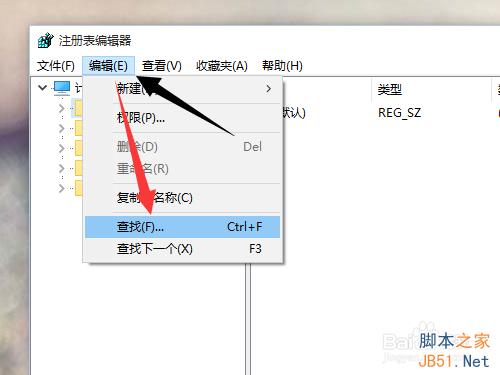
  2. 展開 HKEY_CLASSES_ROOT,選單「編輯」→「尋找」。
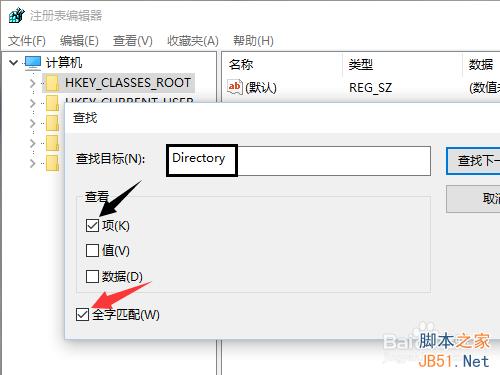
  3. 搜尋「Directory」,選項:僅搜尋鍵值、完整比對。
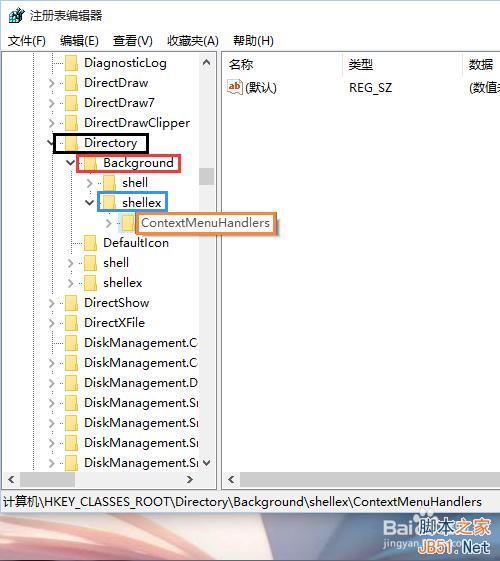
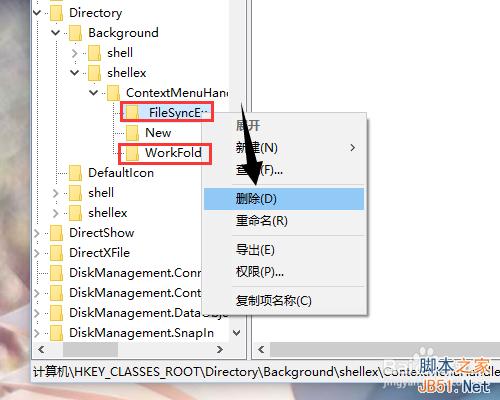
  4. 定位至 HKEY_CLASSES_ROOT\Directory\Background\Shellex\ContextMenuHandlers。
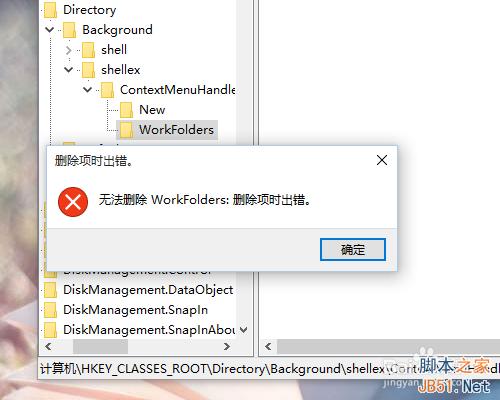
  5. 保留「New」項目,刪除其餘所有子鍵(如同刪除資料夾)。
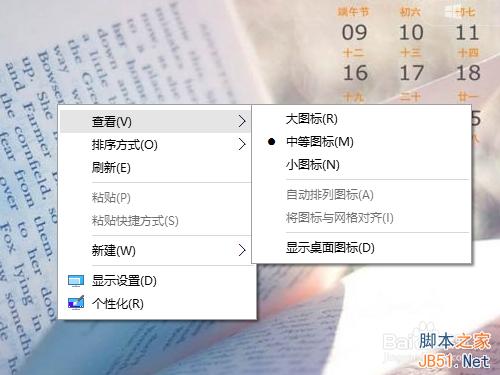
  6. 關閉登錄編輯器,右鍵桌面驗證選單秒彈。

原理:ContextMenuHandlers 存放右鍵選單擴充處理器,過多無效/殘留項目會導致枚舉超時。刪除後系統重置為預設值,選單回應即時化。

Copyright © Windows教程網 All Rights Reserved