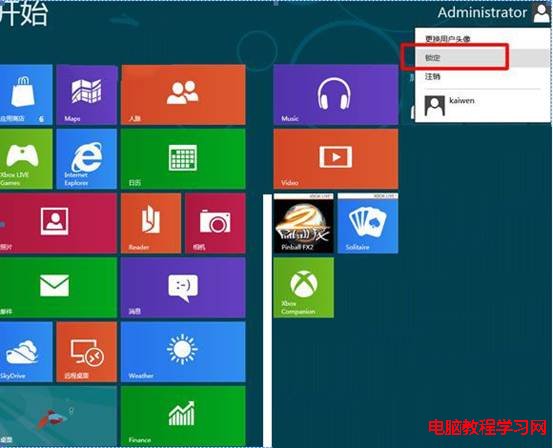
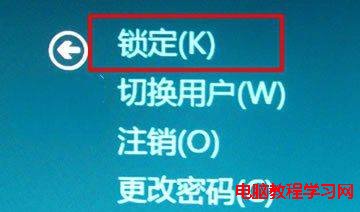
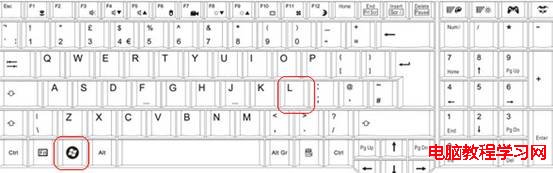
Windows 8 開機/喚醒進入鎖定畫面 (Lock Screen),需滑鼠上拖/點擊/按鍵才進登入介面。提供三種快速鎖定與解鎖操作。
養成離座即 Win+L 習慣,保護資料安全。
Win10 筆電風扇狂轉不停?電源選項改被動散熱解決
Win10 桌面圖示顯示異常(空白/錯誤)?一鍵指令 ie4uinit -show 重建圖示快取秒修復
Windows 7 備份與還原完整圖文教學:網路備份到共享資料夾並還原系統
Win10 資料夾檢視模式如何設定圖示大小並套用至所有資料夾?
Windows 7 修補程式要不要裝?打補丁原則與離線部署最佳實務
Win10 10061 工作列變黑色怎麼改顏色?個人化設定調整主題色彩與透明度完整教學
Win10 開始選單手動置頂應用技巧:加入隱形空格讓最愛排第一
Windows 10 10074 將 IE 瀏覽器釘選至工作列:開始功能表 → Windows 附屬應用程式 → 右鍵釘選