Windows 10 Build 10074 預設工作列釘選 Edge 瀏覽器,IE 瀏覽器隱藏於開始功能表深處。兩步驟即可釘選 IE 至工作列。
釘選步驟
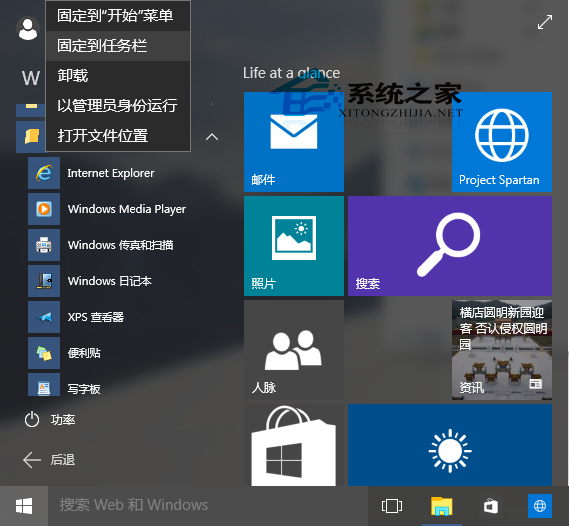
- 開始功能表 → 「所有應用程式」→ 「Windows 附屬應用程式」→ 「Internet Explorer」。
- 右鍵「Internet Explorer」→ 「釘選至工作列」。
注意事項
- 64 位元 Windows 10 同時包含 32 位元與 64 位元 IE,開始功能表為 64 位元版本。
- 需使用 32 位元 IE 者,請釘選
C:\Program Files (x86)\Internet Explorer\iexplore.exe。
- 亦可設定 .html/.htm 檔案關聯 IE,雙擊網頁檔自動啟動 IE。