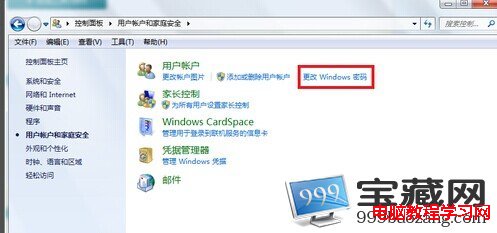
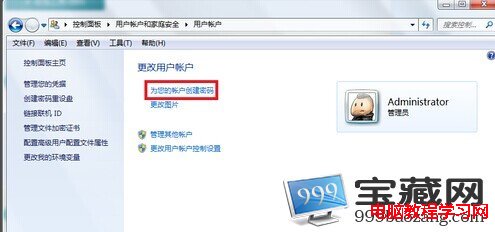
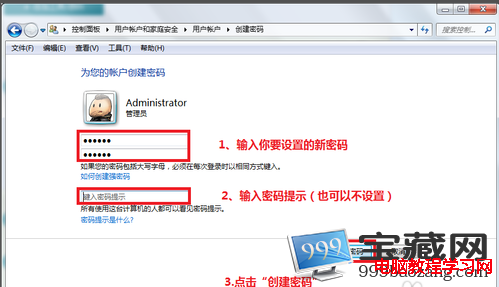
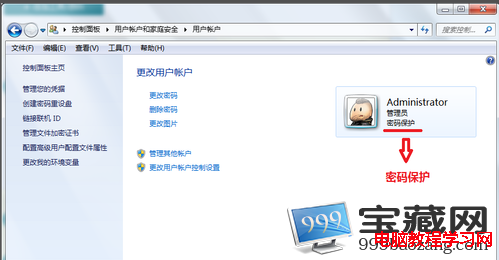
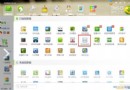
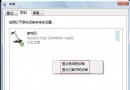
Win7 開機密碼設定有 BIOS、開機、使用者三種,日常僅需「使用者帳戶密碼」即可防他人隨意使用、保護資料安全。三步驟完成設定。
忘記密碼對策: 參考「Win7 密碼忘記解決教學」(重設碟、安全模式內建 Administrator、PE 工具、註冊表離線編輯等多種方法)。
Win10 PIN 碼登入無法使用?啟用 IPsec Policy Agent 服務即可修復
Win8 關閉無線網路後無法重新開啟 Wi-Fi?網路診斷一鍵修復
Win10 正式版升級 4 種方法與驅動、激活、相容性問題全方位匯總
Win8 光驅識別不了光碟?刪除註冊表 UpperFilters/LowerFilters 修復光驅讀取
微軟公布 Windows 10 正式版服務生命週期 10 年:主流支援至 2020/10/13,延伸支援至 2025/10/14
Win10 如何新增工具列?快速存取常用資料夾的實用技巧
Windows 7 系統優化完整指南:關閉系統還原、移動虛擬記憶體、關閉休眠三大核心技巧
XP 看電影自動黑屏怎麼辦?關閉電源管理「關閉螢幕」與「待機」功能