PIN 碼優勢
PIN (Personal Identification Number) 僅綁定本機,不傳輸至雲端,支援 4 位數字或更複雜組合,配合 Windows Hello(指紋/虹膜)使用,登入更快速安全。
常見故障:PIN 無法使用/設定失敗
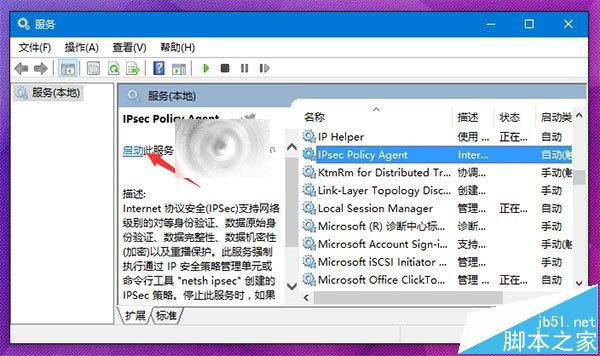
主因為 IPsec Policy Agent 服務未啟動。
修復步驟
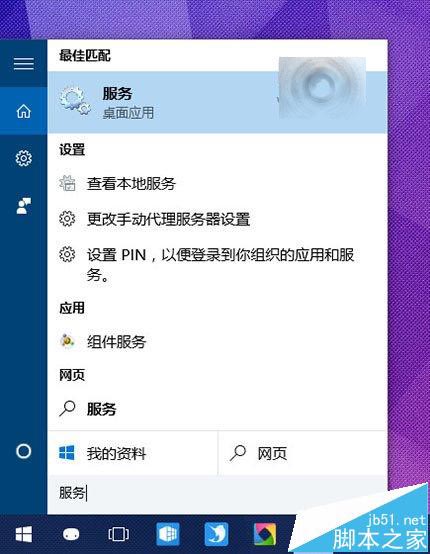
- 工作列搜尋「服務」並開啟。
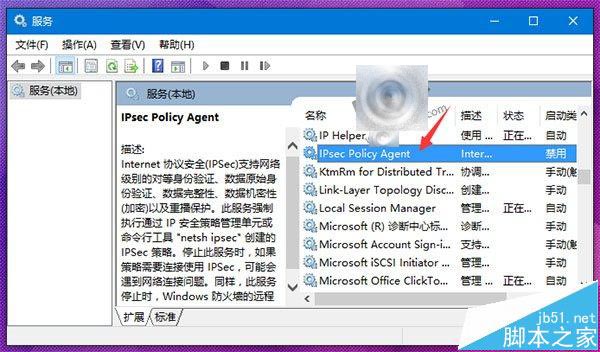
- 找到 IPsec Policy Agent,雙擊開啟內容。
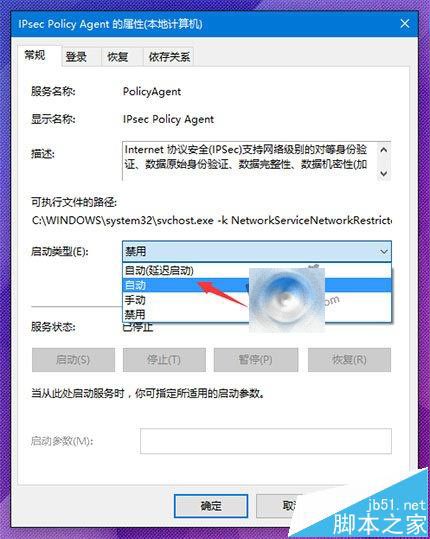
- 啟動類型改為「自動」,點「確定」。
- 回到服務清單,右鍵該服務 → 「啟動」。
- 重新嘗試設定或使用 PIN 登入。
設定 PIN 登入
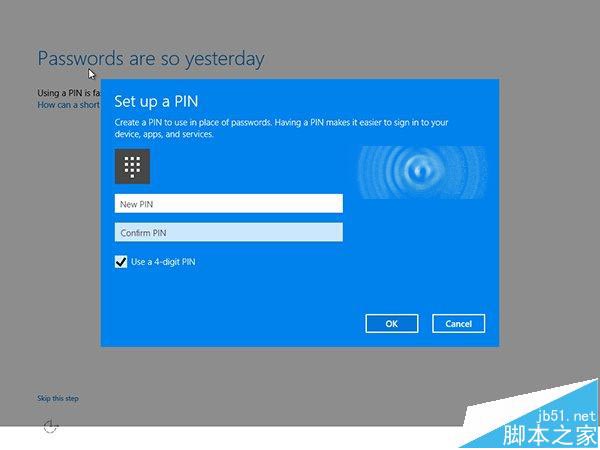
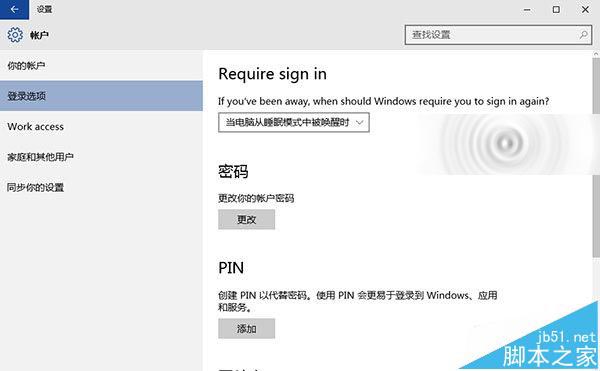
「設定」→「帳戶」→「登入選項」→「PIN」→「新增」,或安裝過程中直接設定。
相關推薦
- Win10 如何設定指紋登入?
- Win10 如何關閉登入/喚醒密碼?