插入 USB/行動硬碟提示「磁碟受寫入保護」無法複製檔案?Windows 7 可透過登錄表關閉儲存裝置寫入保護,或調整裝置原則為「較佳效能」解決。
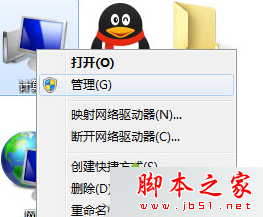
regedit
HKEY_LOCAL_MACHINE\SYSTEM\CurrentControlSet\Control\StorageDevicePolicies
StorageDevicePolicies
0
兩法擇一或雙重執行,通常即可解除寫入保護限制,恢復正常讀寫。
惠普盛讚 Win10:開始選單回歸是最正確決定,助用戶平滑遷移
Win10 Mobile 14328 修復設定介面英文顯示、通知中心快速操作消失 Bug
Win10 Cortana 無法輸入中文?改用微軟拼音或下載 Win10 專版輸入法即可解決
Win10 如何單獨關閉瀏覽器音量?音量合成器與 IE 設定兩法
Windows 10 如何查看系統映像版本號?DISM 指令一鍵顯示目標版本資訊
Win10 预览版 9901 Modern 设计语言全面升级:白色线性图标、黑色标题栏、MDL2 资产曝光
Win8 開始功能表不見了?兩招快速找回經典選單
Windows 10 正式版發布時間曝光:RTM 版本最快 7 月 8-9 日交付 OEM