Windows XP Windows 7 Windows 2003 Windows Vista Windows 綜合教學 Linux 系統教學
Windows 10 Windows 8 Windows 2008 Windows NT Windows Server 電腦軟體教學
您现在的位置: Windows教程網 >> Windows教程 >  >> Windows 綜合教學 >> 關於 Windows

Aero Glass 10240 毛玻璃工具下載 讓 Win10 RTM 找回透明視覺

編輯:關於 Windows

傳聞 Win10 將帶回 Vista 時代的 Aero Glass 毛玻璃效果,但 RTM 版僅保留工作列透明。Reddit 網友自製小工具實現完整視窗毛玻璃,實測有效。功能強大:可調透明度、光照方向、底紋、顏色,安裝簡單。
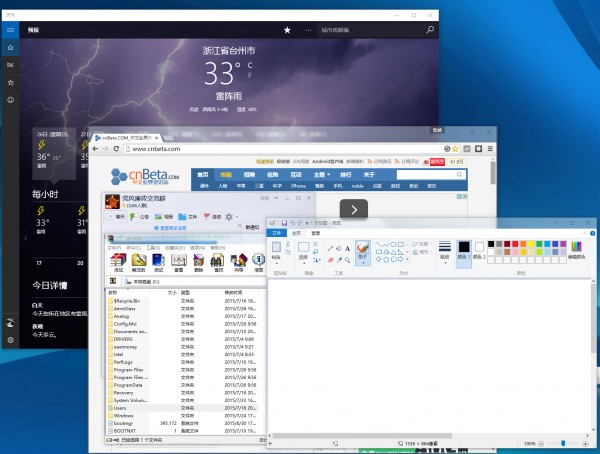
視窗堆疊畫面
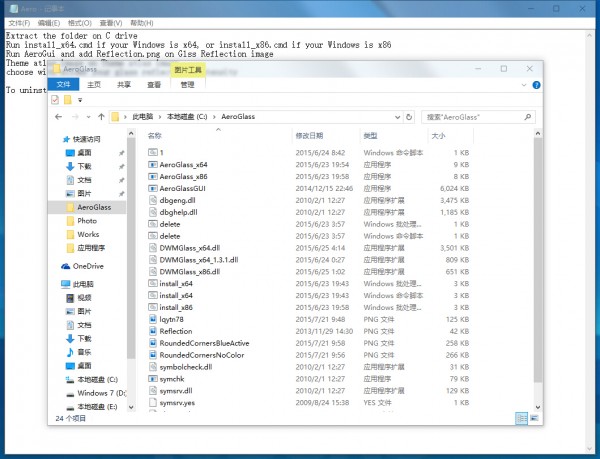
測試效果截圖
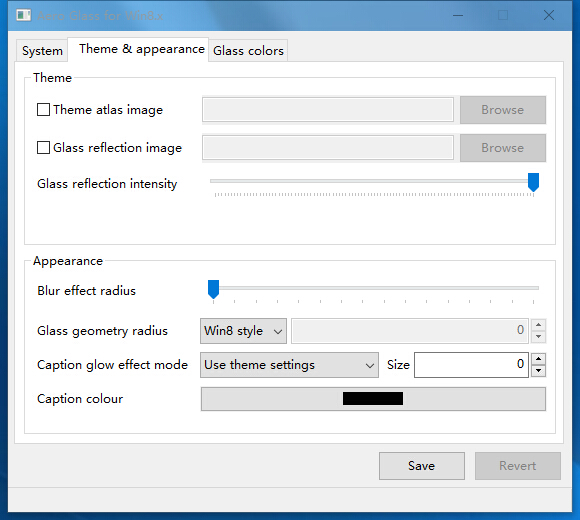
調整光照與毛玻璃底紋
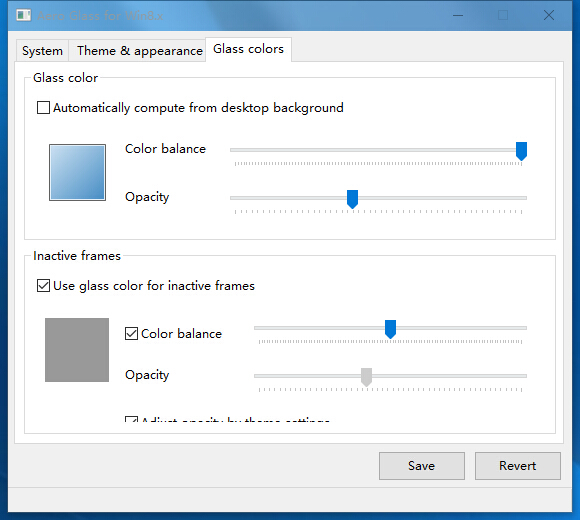
調整顏色

已知問題:視窗移動時堆疊標題列可能出現「玻璃碎片」,移動一下即消失;無法修改 UWP 應用標題列透明度。

使用方法

  1. 解壓縮至 C:\AeroGlass。
  2. 以管理員身分執行 install_x64.cmd(x86 版用 install_x86.cmd)。
  3. 透明效果生效,執行 AeroGUI.exe 進階調整。
  4. 移除請執行 delete.cmd。

下載地址

百度網盤: https://pan.baidu.com/s/1bnFb9ef
Copyright © Windows教程網 All Rights Reserved