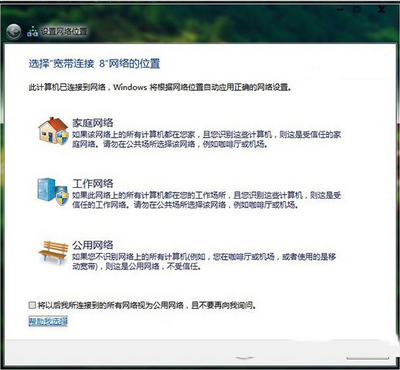
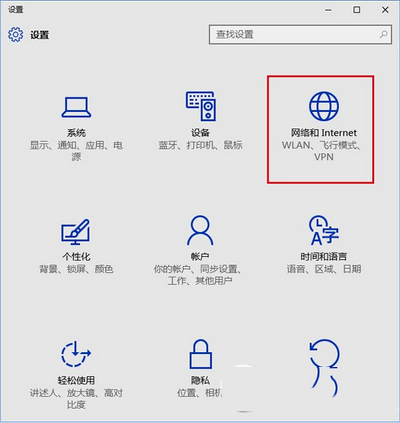
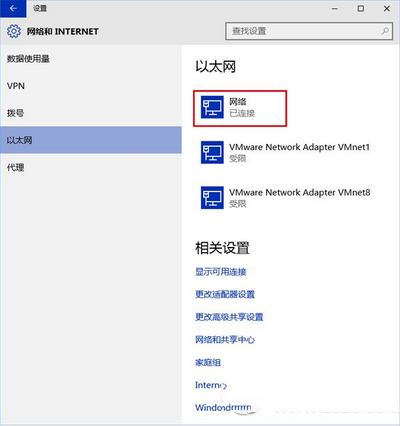
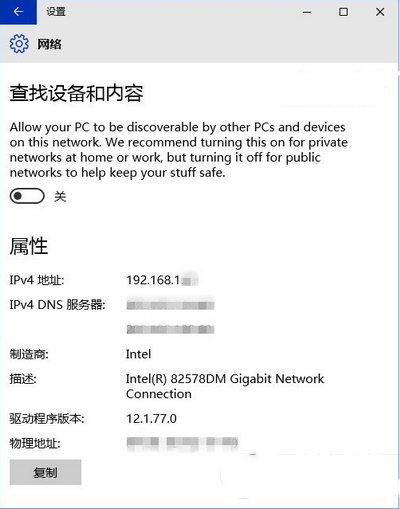
Windows 10 首次聯網不再彈出「網路位置」選擇視窗(Win7 有家用/公司/公用三選項),實際上設定隱藏在「設定」App 中。
Win7 首次聯網會詢問網路位置:家用網路、公司網路、公用網路,對應不同防火牆與共享規則。
Win10 預設開啟「尋找裝置與內容」(私人網路模式),若在咖啡廳、機場等公共環境使用,請務必手動關閉此開關以免資料外洩。
Win10 預覽版安裝 KB3105208 更新後藍畫面?暫時解決方案:關閉安全開機
Win10 快速進入安全模式:msconfig 設定法(取代傳統 F8)
Win7 刪除不明帳戶權限,強化系統安全
【影片】Win10 Mobile 10166 更新內容:通知中心新手勢操作
Win10 關閉 Cortana Web 搜尋加快回應速度:群組原則禁用線上搜尋
Win10 Edge 瀏覽器福利:用必應搜尋賺 Bing Rewards 積分換好禮
Win10 右鍵點擊桌面圖示圖示消失 5 秒?修改登錄表 Shell 值與新增 Explorer 字串修復
Win7 如何顯示隱藏檔案與受保護系統檔案:資料夾選項完整設定圖解