Windows XP Windows 7 Windows 2003 Windows Vista Windows 綜合教學 Linux 系統教學
Windows 10 Windows 8 Windows 2008 Windows NT Windows Server 電腦軟體教學
您现在的位置: Windows教程網 >> Windows教程 >  >> Windows 綜合教學 >> 關於 Windows

Win10 右鍵點擊桌面圖示圖示消失 5 秒?修改登錄表 Shell 值與新增 Explorer 字串修復

編輯:關於 Windows

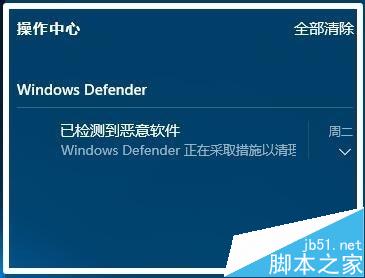
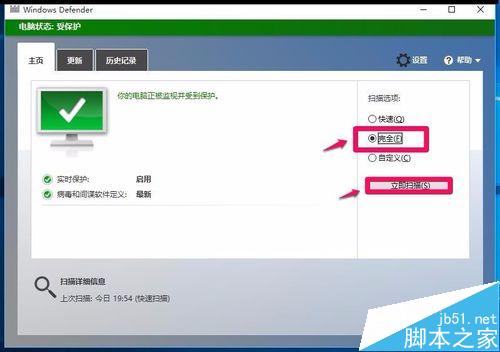
右鍵點擊桌面圖示導致圖示消失約 5 秒 (類似重新整理),可能因修改登錄表或惡意軟體導致。解決步驟:

先備份登錄表!

一、修正 Shell 鍵值

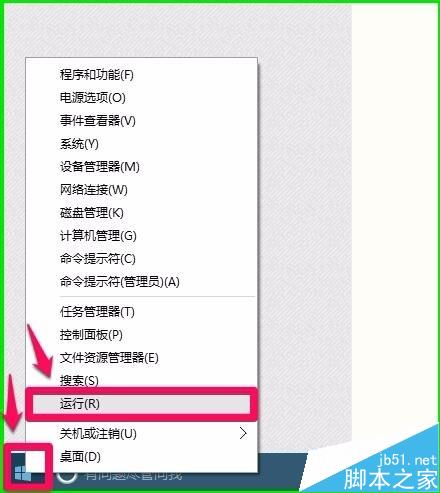
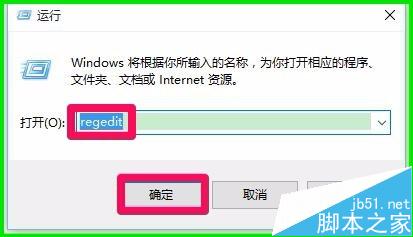
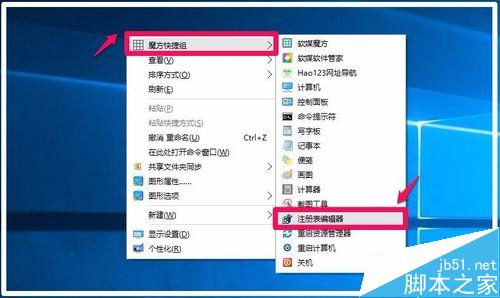
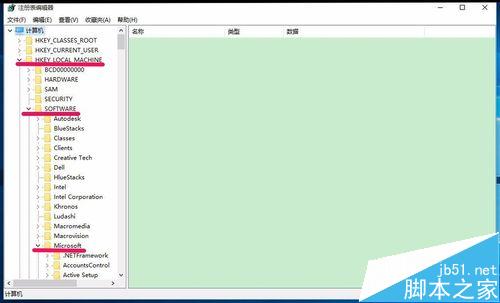
  1. Win+R 輸入 regedit 開啟登錄編輯器。
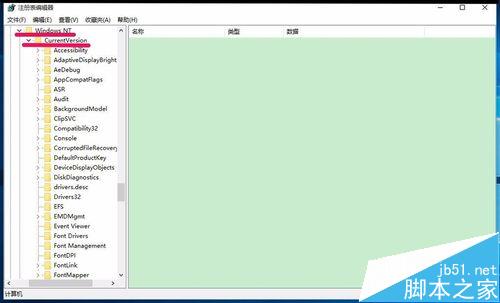
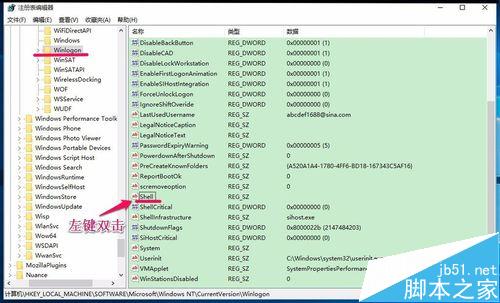
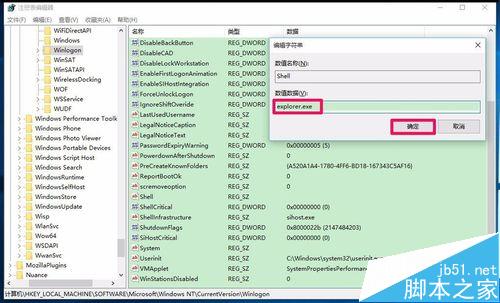
  2. 展開 HKEY_LOCAL_MACHINE\SOFTWARE\Microsoft\Windows NT\CurrentVersion\Winlogon。
  3. 雙擊右側 Shell,確認數值資料為 explorer.exe (若非請修正)。
二、新增 Explorer 字串值

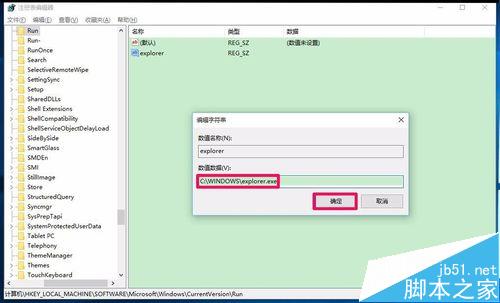
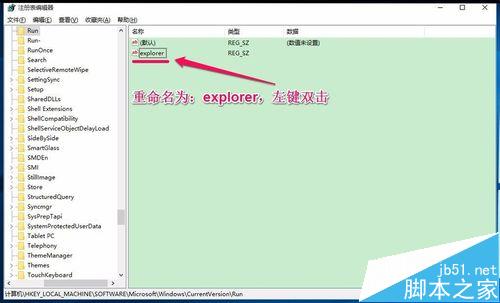
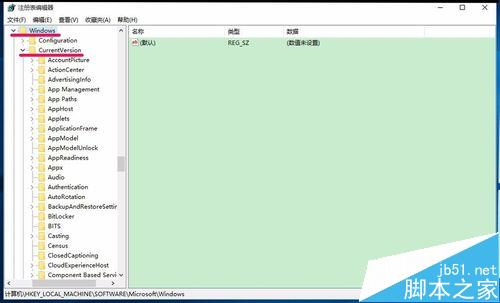
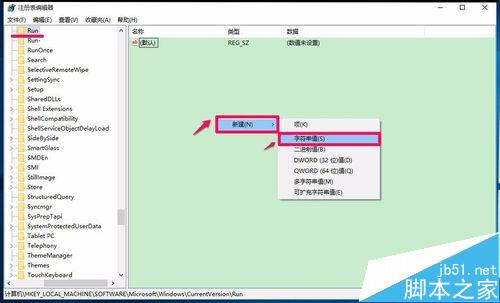
  1. 展開 HKEY_LOCAL_MACHINE\Software\Microsoft\Windows\CurrentVersion\Run。
  2. 右鍵空白處 → 「新增」 → 「字串值」 → 命名 explorer。
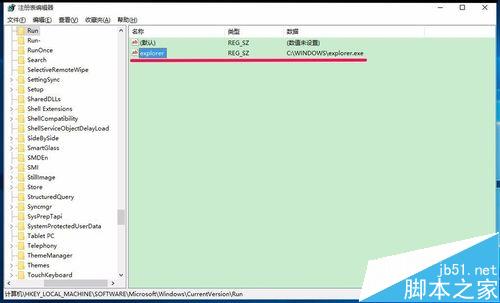
  3. 雙擊 explorer,數值資料設為 C:\WINDOWS\explorer.exe。
  4. 確定後重新啟動電腦,問題即可解決。

此法亦適用於其他 Windows 版本同類問題。

Copyright © Windows教程網 All Rights Reserved