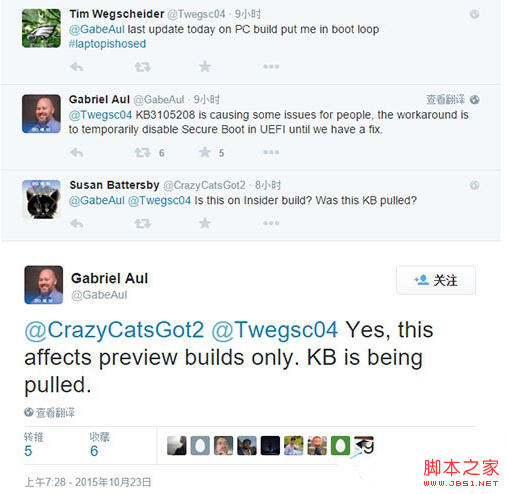
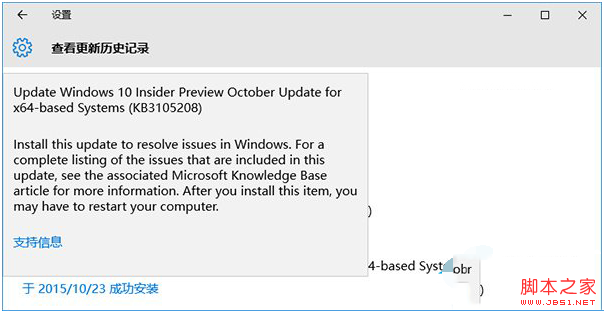
部分 Win10 Insider Preview 10565 (64位元) 使用者安裝十月更新補丁 KB3105208 後出現藍畫面,無法正常開機進入桌面。
微軟 Gabriel Aul 說明該補丁僅用於測試推送管道,包含設定更新。官方完美修復方案尚未釋出,建議採取以下暫時性解決步驟:
若先前建立過還原點,也可透過系統還原復原。解決問題後建議重新開啟安全開機以維護系統安全性。
XP 與 Win7 互訪共享資料夾無權限?完整設定圖解
Win10 週年更新 14352 自製中文 ISO 系統映像下載(32/64 位),含 SHA1 校驗與三種激活途徑
Win7 開機黑屏僅顯示滑鼠箭頭?兩步修復 Explorer 並修正登錄徹底解決
Win10 创建 Wi-Fi 热点共享上网全攻略:命令行配置 + 网络共享双步走
Win7 建立寬頻連線捷徑完整圖文教學
Windows 7 「執行」指令不見了?三種方法找回或快速開啟「執行」視窗
Win8.1 如何在電源選單加入「睡眠」選項?群組原則設定教學
Windows 7/Server 2008 批量刪除隧道配接器:三條 netsh 指令 + DevCon 一鍵清除