Win8 設定定時關機後想取消,只需在「工作排程器」中找到對應任務刪除或停用即可。
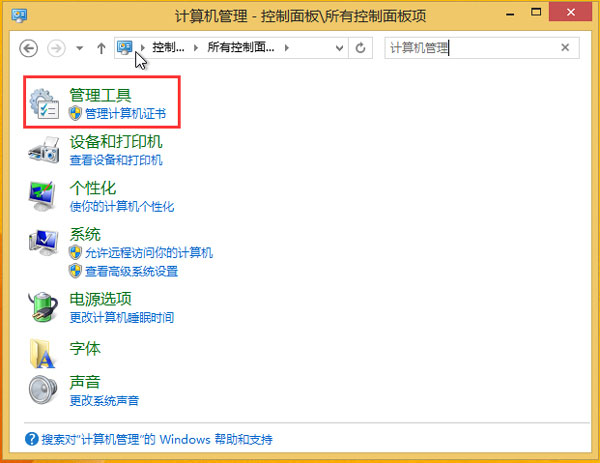
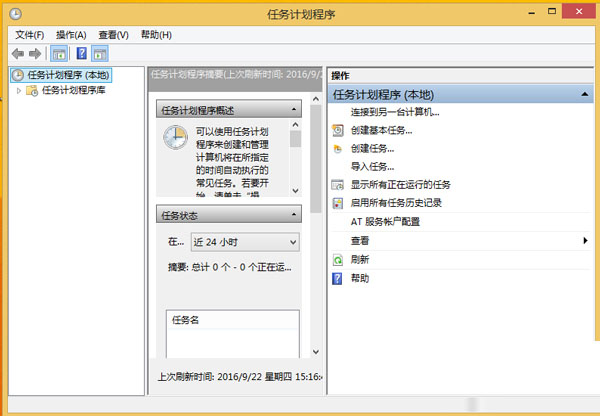
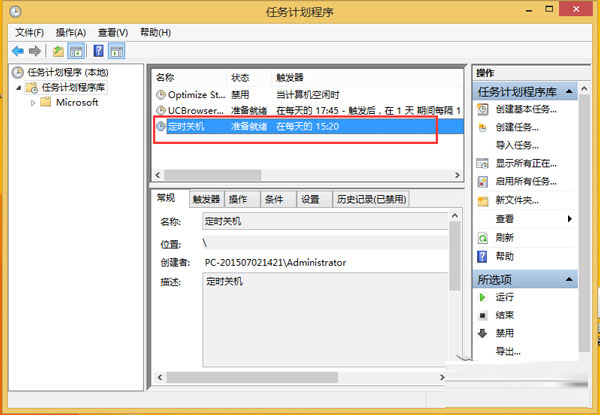
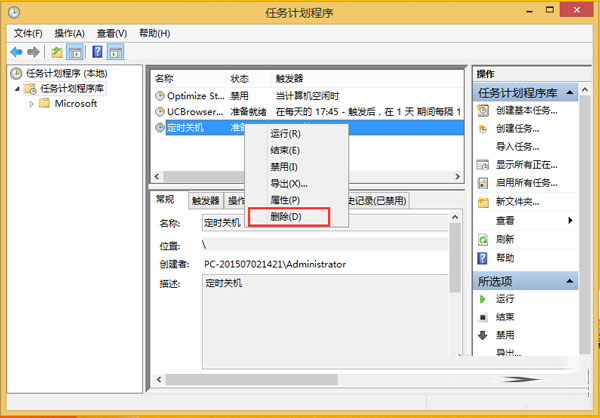
若未來可能再用,建議選「停用」;確定不再需要則「刪除」最乾淨。
Windows 10 Xbox One 遊戲串流解鎖 1080P 超高畫質完整步驟:修改 IsInternalPreview 為 true,頻寬需 30Mbps
Win10 如何修改網路名稱 (網路 1/網路 2) 或刪除舊網路設定檔?登錄表編輯法圖解
Windows 10 Build 10102 顯示桌面圖示(電腦、文件、網路、控制台)設定教學
Win8 系統帳號密碼快速設定教學:控制台六步驟建立登入密碼
Windows XP 無法直接升級 Windows 10 解決方案:先升 Win7/8.1 或全新安裝