Win7 開啟裝置管理員後畫面持續閃爍重新整理,無法操作。主因是 Internet Explorer 工具列佈局註冊值 itbarlayout 損毀,刪除即可修復。
regedit。HKEY_CURRENT_USER\SOFTWARE\MICROSOFT\InternetExplorer\ToolbarExplorer、ShellBrowser、WebBrowser 三個子鍵,將各自的 itbarlayout 數值**全部刪除**。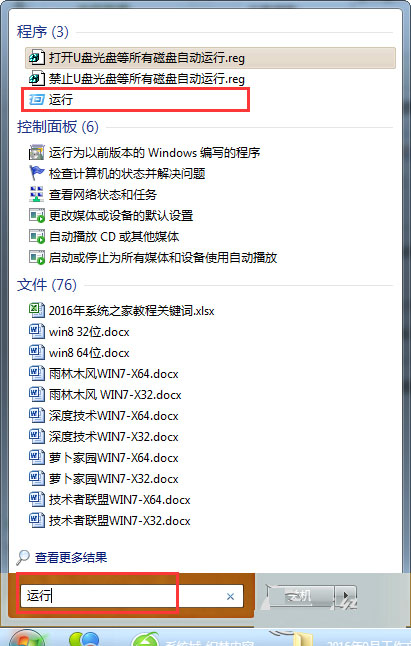
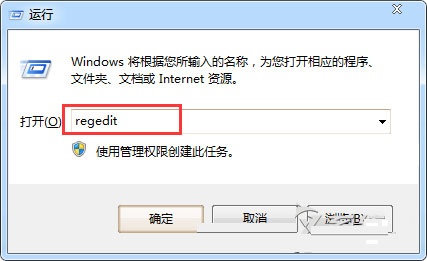
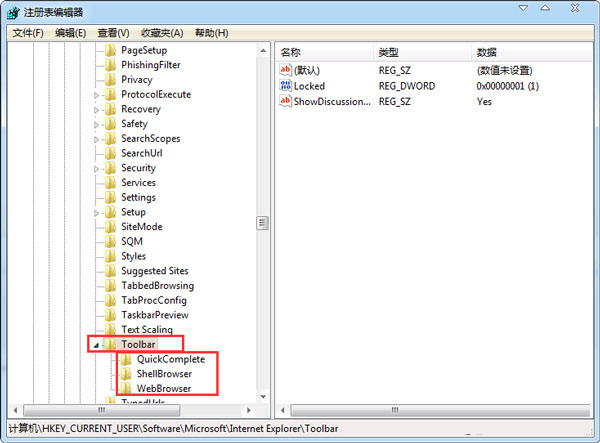
完成後重新開啟裝置管理員,畫面不再閃爍,可正常操作驅動程式安裝/移除。
Win8 全螢幕截圖自動儲存:Win+PrtSc 一鍵完成,檔案直存圖片庫
Win7 安裝提示「找不到任何裝置驅動程式」四大解法:換 USB 口、換 USB 2.0、修復模式安裝、換 U 盤品牌
Win10 Insider 計畫:Fast Ring 使用者僅佔 Slow Ring 十分之一,團隊預期分佈
Win9 預覽版截圖再曝光:開始選單背景可自訂、任務介面管理虛擬桌面、檔案總管新功能
Win10 RedStone 桌面預覽版 14295 已知問題與解決方案匯總
Win10 關閉自動更新兩大法:群組原則禁用 (專業版+) 與服務停用 (全版本通用)