Windows XP Windows 7 Windows 2003 Windows Vista Windows 綜合教學 Linux 系統教學
Windows 10 Windows 8 Windows 2008 Windows NT Windows Server 電腦軟體教學
您现在的位置: Windows教程網 >> Windows教程 >  >> Windows 綜合教學 >> 關於 Windows

Win7/Win8/Win10批次修改副檔名技巧:REN指令搭配萬用字元、BAT腳本一鍵處理

編輯:關於 Windows

單檔改副檔名用重新命名,批次改需用 ren (rename) 指令,簡單好記且實用。

基本語法

ren [路徑\檔名.舊副檔名] [新檔名.新副檔名]
ren D:\1.jpg 2.png

權限不足時以管理員身分開啟CMD。

批次修改進階用法

  • 全盤所有檔案改副檔名:ren D:\* *.png
  • 特定副檔名批次改:ren D:\*.jpg *.png(將所有jpg改png)

一鍵BAT腳本製作

  1. 記事本貼上:
cd /d %~dp0
ren * *.jpg
  1. 存為 rename.bat。
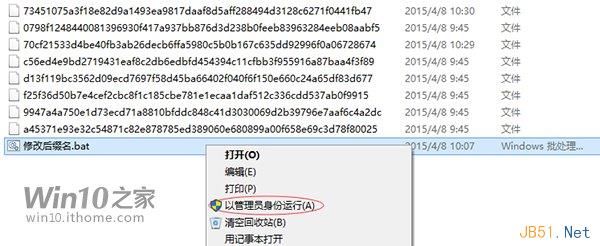
  2. 將 .bat 放入目標資料夾,以管理員身分執行,該資料夾所有檔案副檔名全改為 .jpg。

掌握此技巧,批次改檔秒變技術大神。

Copyright © Windows教程網 All Rights Reserved