雙擊資料夾、.exe、.lnk 或特定副檔名檔案,彈出「開啟方式」對話框或顯示亂碼、無法直接執行,核心原因是 **檔案類型關聯在登錄中遺失/損壞/被惡意軟體劫持**。本文提供分級修復方案:從圖形介面「選擇預設程式」到登錄修復、系統檔案修復。
| 現象 | 典型原因 |
|---|---|
| 雙擊資料夾 → 開啟方式對話框 | HKEY_CLASSES_ROOT\Directory\shell\open\command 鍵值損壞/被劫持 |
| 雙擊 .exe → 開啟方式/亂碼 | HKEY_CLASSES_ROOT\exefile\shell\open\command 鍵值異常 |
| 雙擊 .lnk → 開啟方式/找不到程式 | HKEY_CLASSES_ROOT\lnkfile\shell\open\command 或 .lnk 擴展關聯損壞 |
| 特定副檔名 (如 .svg, .py, .apk) 無關聯程式 | 系統未預設關聯、安裝程式未註冊 |
explorer.exe、.txt → notepad.exe、.jpg → Photo Viewer),或點選「瀏覽...」手動指定 .exe 路徑。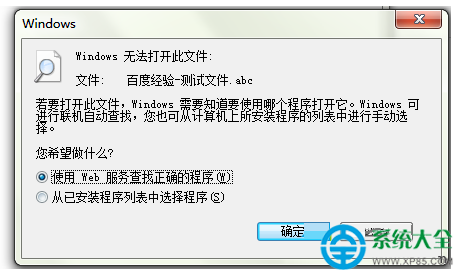
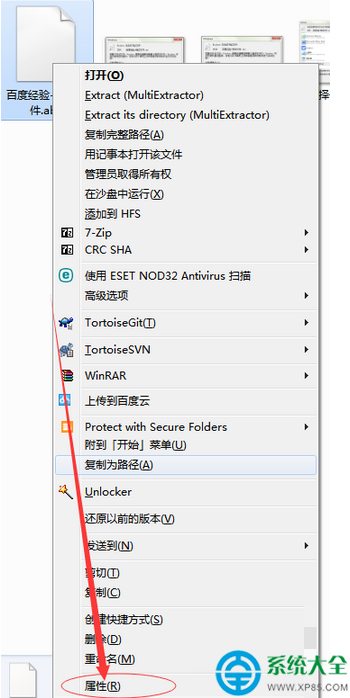
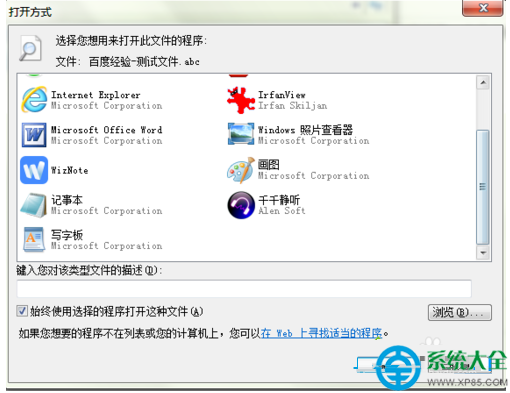
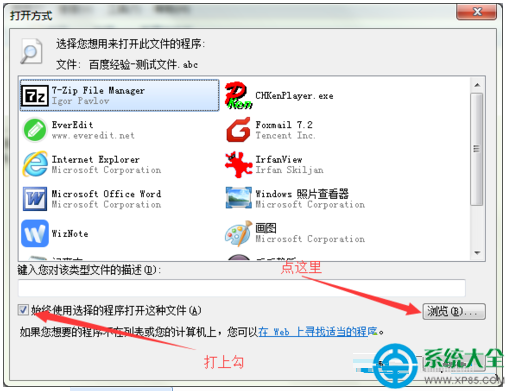
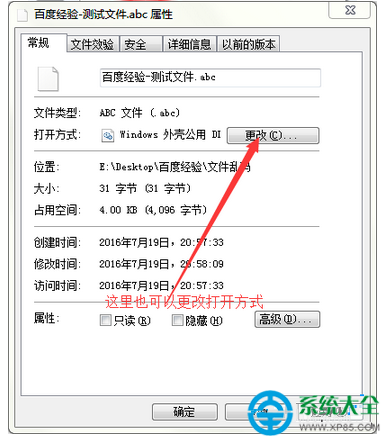
以系統管理員身分執行 CMD,依序匯入以下標準鍵值 (每行一個指令):**
:: 修復資料夾關聯
reg add "HKCR\Directory\shell\open\command" /ve /d "explorer.exe" /f

:: 修復磁碟機關聯
reg add "HKCR\Drive\shell\open\command" /ve /d "explorer.exe" /f

:: 修復 .exe 執行關聯
reg add "HKCR\exefile\shell\open\command" /ve /d "\"%1\" %*" /f

:: 修復 .lnk 捷徑關聯
reg add "HKCR\lnkfile\shell\open\command" /ve /d "rundll32.exe shell32.dll,OpenAs_RunDLL %1" /f

:: 修復 .bat/.cmd 關聯
reg add "HKCR\batfile\shell\open\command" /ve /d "\"%1\" %*" /f
reg add "HKCR\cmdfile\shell\open\command" /ve /d "\"%1\" %*" /f

:: 重整殼層
taskkill /f /im explorer.exe && start explorer.exe
sfc /scannow 等待完成。dism /online /cleanup-image /restorehealth (需網路下載健康映像) → 再執行 sfc /scannow。HKEY_CLASSES_ROOT 登錄分支或整個系統映像。