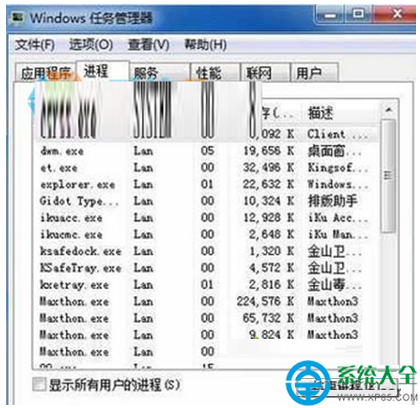
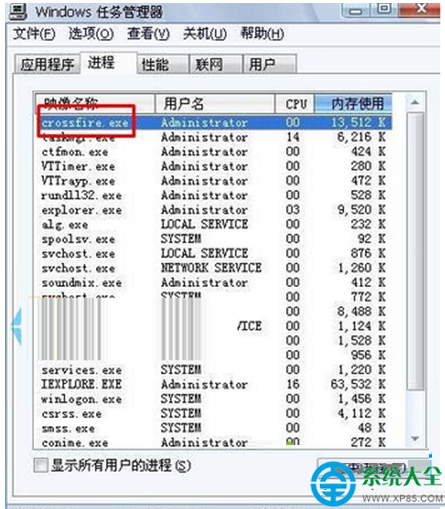
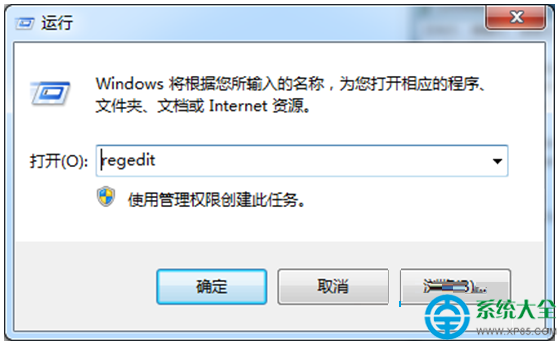
Windows 7 運行《穿越火線》(CF) 遊戲畫面凍結、無回應時,可透過工作管理員強制結束遊戲進程恢復系統控制權:
crossfire.exe
補充建議:遊戲頻繁卡死可能因顯卡驅動過舊、DirectX 版本不符、系統資源不足(記憶體<4GB)、遊戲檔案損毀、外掛/加速器衝突等。建議更新顯卡驅動、修復遊戲檔案、關閉不必要後台程式、檢查散熱狀況。
Win7 一鍵還原系統完整教學:系統還原點建立與還原操作
Win7 桌面 IE 圖示刪不掉?註冊表刪除 CLSID / 群組原則隱藏雙重解法
Win7系統修改電腦地理位置的詳細操作教程
Win7 找不到 Comres.dll 完整修復:SFC 掃描優先、同版本複製、安全軟體一鍵修復
Win7 USB 滑鼠無法識別?五大排除步驟徹底解決
Win7搜狗输入法"已停止工作"?输入法修复器快速修复+重启生效
Windows 7 如何刪除軟體解除安裝後殘留的服務項?登錄檔 Services 刪除法
Win7 手動設定防火牆加速漏洞修復:源頭防護減少等待時間