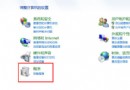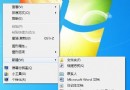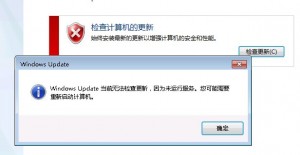
控制台 → Windows Update 點擊「檢查更新」顯示:
「Windows Update 目前無法檢查更新,因為未執行服務。您可能需要重新啟動電腦。」
根因通常為:
services.msc → 找到「Windows Update」 → 右鍵「停止」C:\Windows\SoftwareDistribution\DataStore (或整個 SoftwareDistribution 資料夾) → 全選刪除 (需管理員權限)以管理員身分開啟命令提示字元,依序執行:
net stop wuauserv
net stop bits
net stop cryptsvc
ren C:\Windows\SoftwareDistribution SoftwareDistribution.old
ren C:\Windows\System32\catroot2 catroot2.old
net start wuauserv
net start bits
net start cryptsvc
說明:
ren 重命名而非刪除,保留備份以防萬一catroot2 為加密服務目錄,同步重置可修復簽章驗證失敗| 現象 | 檢查項目 | 解決方案 |
|---|---|---|
| 錯誤 0x80070002/0x80070003 | 系統檔案損壞 | 管理員 CMD 執行 sfc /scannow → DISM /Online /Cleanup-Image /RestoreHealth |
| 錯誤 0x8024402c/0x8024001e | BITS 服務/下載失敗 | 重新註冊 BITS:regsvr32 qmgr.dll regsvr32 qmgrprxy.dll |
| 更新卡在 0%/下載不動 | 網路/防火牆/代理 | 檢查 WinHTTP 代理:netsh winhttp show proxy;重置:netsh winhttp reset proxy |
| 服務啟動後立即停止 | 第三方優化工具/安全軟體干擾 | 暫時解除安裝優化大師/360/電腦管家類工具 |
| 無法進入 Windows Update 介面 | 系統元件註冊失效 | 重新註冊相關 DLL:regsvr32 wuapi.dll regsvr32 wuaueng.dll regsvr32 wucltux.dll 等 |
「停服務→清快取→重服務」三部曲可解決 95% 以上的 Win7 Windows Update 檢查失敗問題,命令列版更適合批次部署與自動化維護。