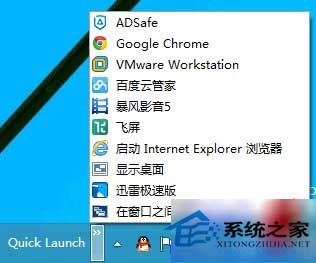
在 Windows 10 任務列重現 Windows XP 風格快速啟動列:
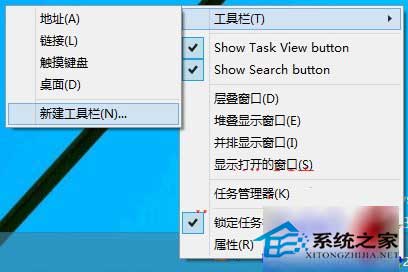
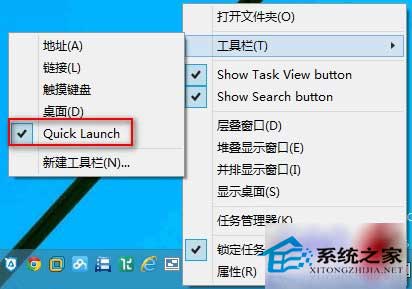
- 右鍵任務列空白處 → 「工具列」 → 「新增工具列」。
- 資料夾路徑輸入:
%APPDATA%\Microsoft\Internet Explorer\Quick Launch (需先在資料夾選項顯示隱藏檔案)。
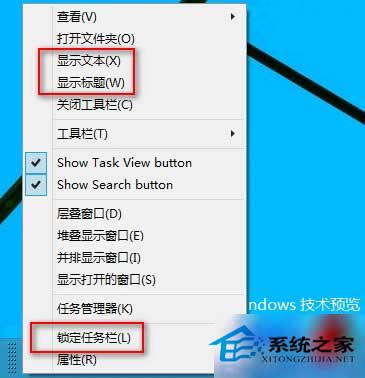
- 任務列出現「Quick Launch」工具列,右鍵任務列取消「鎖定工作列」、「顯示文字」、「顯示標題」。
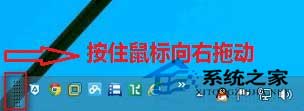
- 拖曳 Quick Launch 邊界展開圖示,完成後重新「鎖定工作列」。
- 移除方式:右鍵任務列 → 取消勾選「Quick Launch」。
即可獲得類似 XP 的固定啟動區,延續舊有操作習慣。