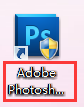
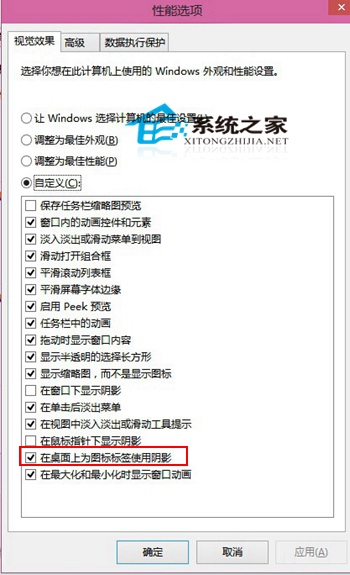
桌面圖示文字發虛/模糊,常因「為圖示標籤使用陰影」效能特效導致。關閉方法:
此選項自 Windows XP 以來即存在,Win10 陰影深度調整可能導致特定解析度/縮放下字體發虛,關閉即可恢復銳利文字。
Windows 10 建立還原點與系統還原完整圖文攻略(含軟媒魔方工具)
Win10 資料夾圖示雙藍箭頭清除:同 ID 22475 取消壓縮/加密屬性
Win10 工作列「工作檢視」按鈕不需要?一鍵隱藏讓介面更乾淨
Win10 建立寬帶撥號連線桌面捷徑:設定 PPPoE 連線 → 網路連線建立捷徑兩階段完成
Win10 微軟拼音啟用模糊音,解決 z/zh、c/ch、n/l 不分困擾
Windows 10 徹底停用 Internet Explorer 11:功能關閉教學與相容性風險評估
Windows 10 安裝失敗常見原因與系統需求檢查
Win10 如何移除微軟拼音輸入法 (兩種方法)