Win10 Build 9879+ 版本支援將工作列搜尋按鈕展開為永顯搜尋框,免去點擊按鈕再輸入的步驟:
regedit。HKEY_LOCAL_MACHINE\SOFTWARE\Microsoft\Windows\CurrentVersion\Search(無 Search 鍵值請右鍵新建)。EnableSearchBox,數值 1(已存在則改為 1)。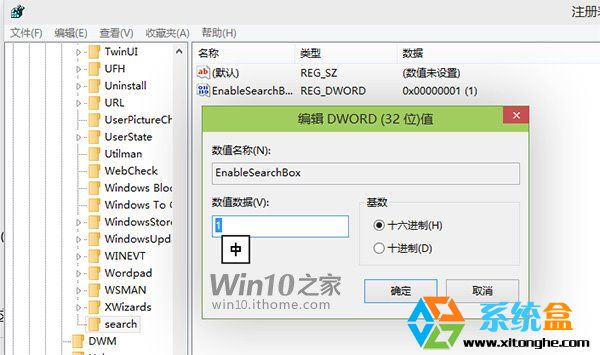
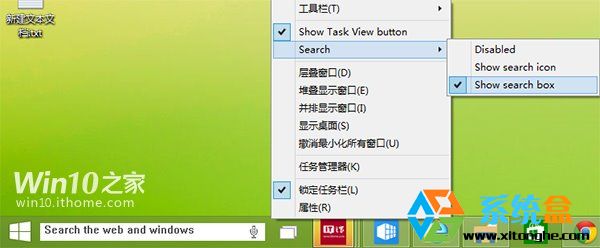
還原: 將 EnableSearchBox 改回 0 即恢復按鈕模式。
適用版本: 僅限 Build 9879 及更新版本。
7 月 29 日 Win10 正式版完整升級指南 步驟與問題總整理
升級 Windows 10 後如何還原至 Windows 7/8.1:千萬別刪 Windows.old 資料夾
Windows 10 高解析度螢幕字型模糊發虛完整解決:三階段方案(單一應用/系統縮放/登錄檔強制舊模式)
Win10 Mobile 預覽版 10512 升級畫面曝光 版本號 10.0.10512.1000
Windows 8 內建行事曆應用程式同步 Google 行事曆教學
Win10 消費者預覽版現身!與技術預覽版差異在哪?實測同 Build 9841 但缺 Cortana、IE12、通知中心