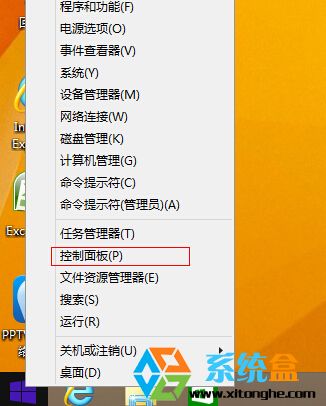
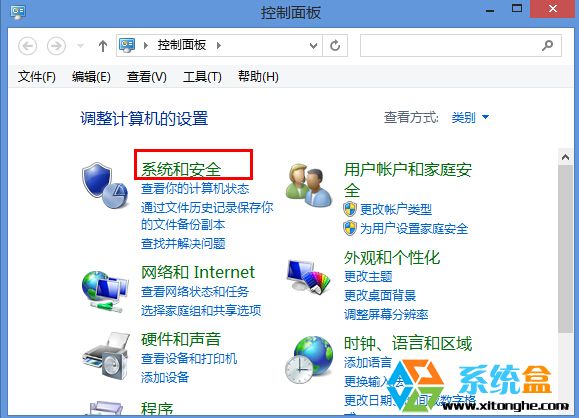
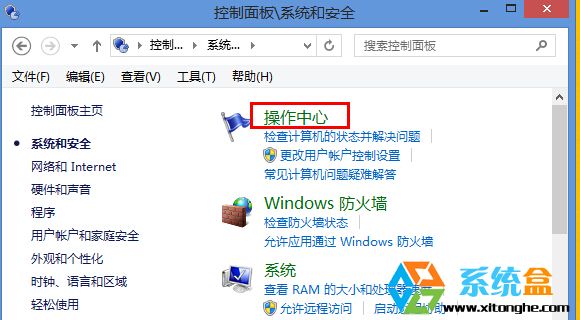
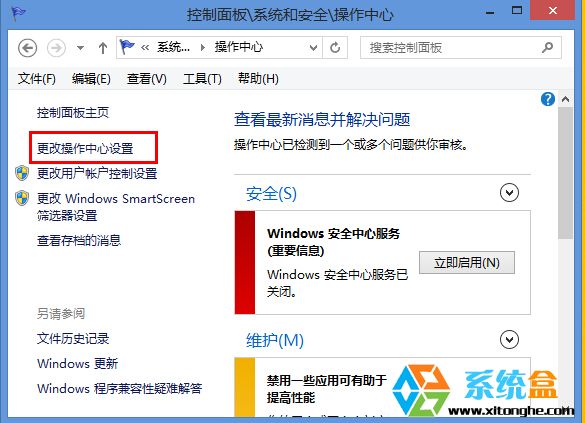
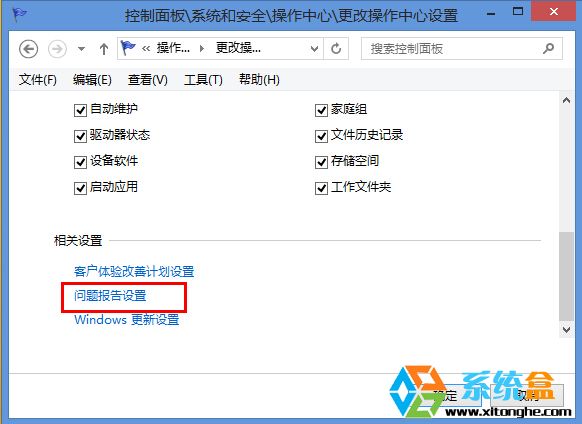
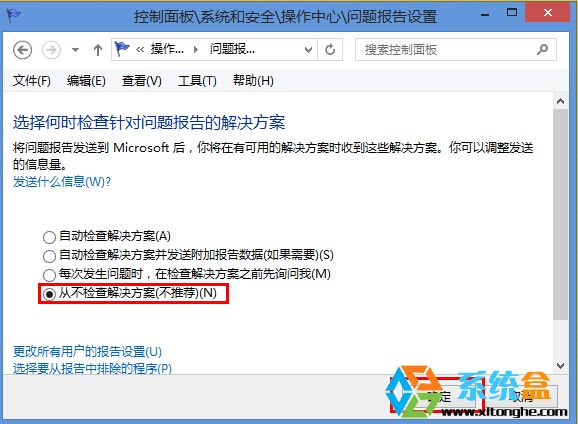
Win8.1 錯誤回報檔案常佔用數 GB 空間且無實際用途。透過「動作中心」徹底停用錯誤回報產生:
設定完成後系統不再產生錯誤報告檔案(*.wer, *.dmp 等),釋放寶貴磁碟空間並減少背景上傳頻寬佔用。
使用「雲思想」安裝 Win10 完整圖解:從啟動介質到分區、雲端整合細節
Win7 磁碟清理完整指南:釋放 C 槽空間、清除系統還原點、移除舊版更新
Win10/Win7/Win8.1 如何關閉台式機主機板蜂鳴器 (PC Speaker)
Win10 資源回收筒清空了怎麼救回?註冊表修復與設定檢查
Win10 新版將強化視窗動畫與通知中心:關閉動畫更流暢、通知按鈕可移動
Win8.1 工作列圖示中間出現大空隙?解決步驟與原理分析
重裝 Win7 系統後出現英文提示畫面解決方法 (啟動修復/重新啟動)
Windows 10 預覽版升級正式版完整教學:ISO 掛載保留設定安裝