Win8.1 家庭群組方便局域網共享,但不需時可完整退出:
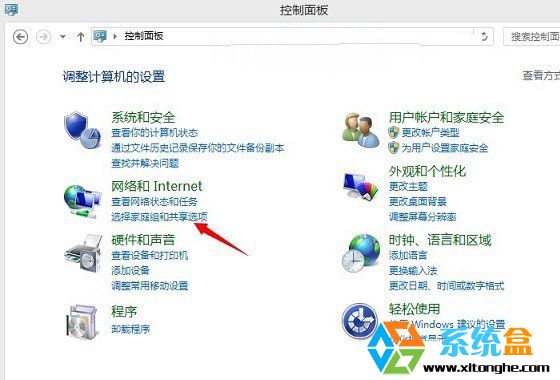
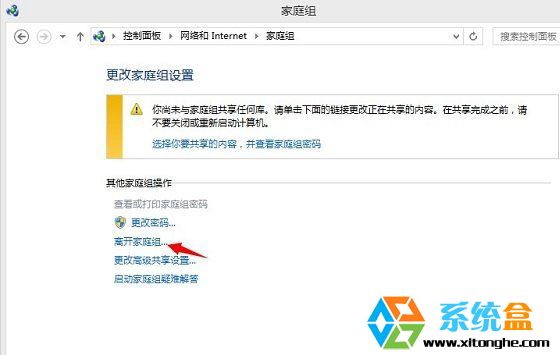
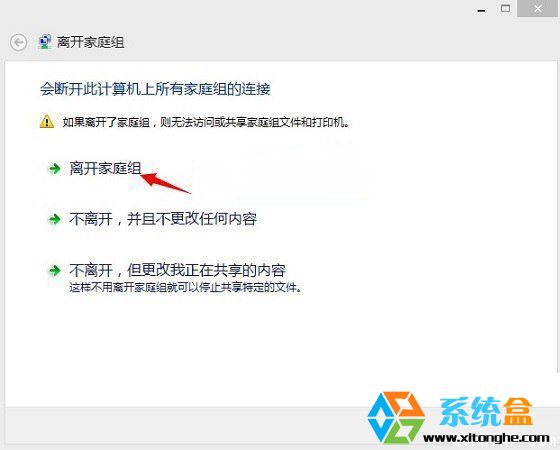
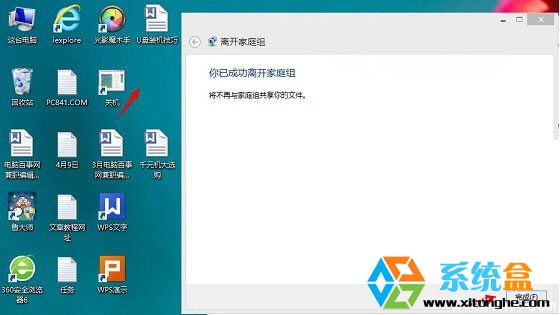
退出後不再共用文件庫/印表機,亦不顯示他裝置共用內容。
軟媒時間 3.08 正式版釋出:Win8 也能用桌面日曆,外掛自訂更貼心
Windows 系統還原打不開/按鈕灰色?啟動 Windows Backup 服務與群組原則雙重修復
Windows 10 開啟淘寶 HTTPS 顯示紅色斜線?系統時間錯誤導致憑證風險
微軟 Surface Studio 一體機全系斷貨,發貨延至 2017 年初,聖誕季無緣到手
移除工作列 NVIDIA 顯示卡設定圖示:控制面板「顯示通知區圖示」取消勾選即可
Win10 命令提示字元視窗如何設定半透明?屬性→色彩→不透明度 30%~100% 自由調整