Windows 10 開啟淘寶網址列 HTTPS 顯示紅色斜線且圖片無法載入,主因系統日期時間錯誤導致 SSL 憑證驗證失敗。
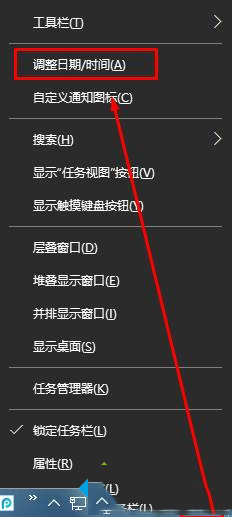
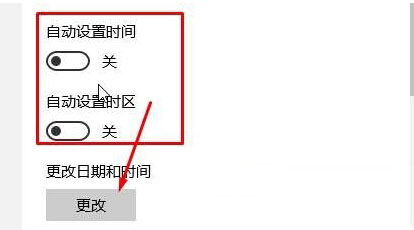
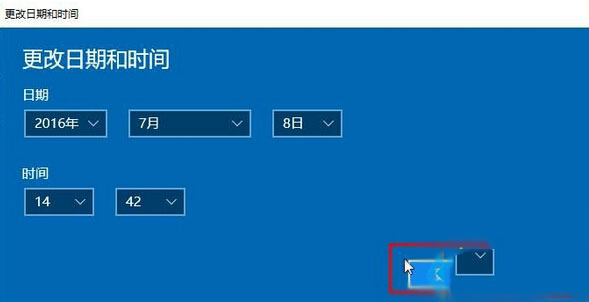
時間校正後重新整理頁面,HTTPS 紅色斜線即會消失,網頁正常顯示。
Win 10 Mobile 通用應用「今日美國」USA TODAY 開放免費下載,支援跨裝置同步閱讀進度
安裝 KB3001652 更新導致電腦凍結?微軟緊急撤回並提供應對指南
Win10 Mobile 週年更新正式版 14393.67 開始推送,立即檢查更新教學
Win7 桌面圖示無法拖曳?三步驟快速解決「自動排列」鎖定問題
Win10 RS2 Build 14926 多國語言包官方下載彙總 (32/64 位) 含中文簡繁/英文/日文/韓文等
Windows 10 右鍵選單新增「註冊/反註冊 DLL」功能:登錄表手動部署與軟媒魔方一鍵式方案