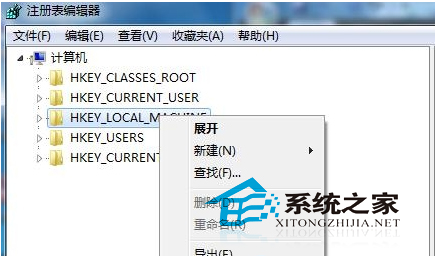
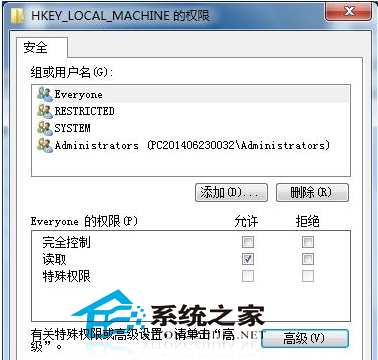
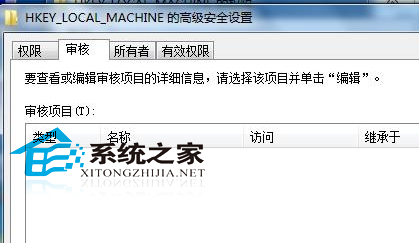
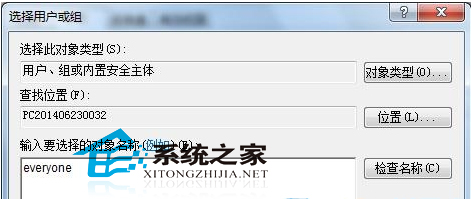
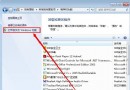
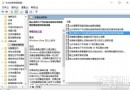
為監控登錄表異動,啟用稽核:
regedit
HKEY_LOCAL_MACHINE
Everyone
啟用後可追蹤登錄表變更,歡迎分享更簡便做法。
控制台將成歷史?Windows 10.1 或將完全移除控制台,統一由「設定」取代
Win7 取消開機啟動項加快開機速度:msconfig 圖文教學
Windows 10 家庭版升級專業版價格曝光:中國區 879.99 元,美區 $99(約 615 元)便宜 265 元
Win8 關閉內建搜尋服務 改用第三方搜尋工具
Windows 7 播放網頁影片無聲音 (Flash/線上電影) 相同根因解決方案:登錄檔 wavemapper 鍵值修復
Windows Update錯誤 80070422 解決:重置Windows Update服務啟動類型與狀態
Win10 如何查看已連線 Wi-Fi 密碼?圖文教學
Win10 開始選單全螢幕模式切換教學(適用 Build 9926)